Market Overview and Growth Trends
The metal fabrication software market continues to grow robustly in 2026. The industry is valued at approximately $2.5 billion in 2025, with a projected CAGR of 8-8.5% through 2033. This growth is fueled by increasing automation demands, Industry 4.0 integration, IoT adoption, and demand for shorter lead times and customization.
Key Drivers for 2026
- Automation Demand: Manufacturers continue investing in systems that automate manufacturing processes to enhance efficiency and reduce errors.
- Industry 4.0 and IoT Integration: Smart manufacturing solutions with real-time data monitoring and predictive analytics gain traction.
- Customization and Short Lead Times: Fabricators require software capable of handling complex designs and personalized orders quickly and accurately.
These trends emphasize the importance of cloud-based ERP and AI-powered tools integrated into metal fabrication software to provide real-time visibility, streamline process automation, and enable dynamic scheduling.
Understanding Industry Challenges and Software Benefits
Before comparing software options, it’s essential to understand the real challenges metal fabricators face:
- Managing complex bill of materials (BOM) involving multiple parts and subassemblies
- Tracking materials measured in dimensional units like coils and sheets
- Handling fluid scheduling scenarios with shifting bottlenecks
- Integrating CAD design changes seamlessly into production planning
- Accurately costing custom jobs, including labor, materials, and overhead
- Ensuring traceability and strict quality control throughout production
Modern metal fabrication software addresses these pain points by automating workflows, providing real-time insights, and enabling flexible scheduling—helping shops reduce waste, improve delivery, and boost profitability.
For a deep dive into how BOM complexity impacts metal fabrication workflows, see our resource on Bill of Materials Management.
Top Metal Fabrication Software Solutions for 2026
Here we present our top recommended metal fabrication software solutions based on real-world usability, feature depth, and customer feedback. These selections help fabricators of all sizes empower their operations.
| Software | Best For | Unique Strength |
|---|---|---|
| MIE Trak Pro | Job shops, metal fabricators, custom manufacturing environments of all sizes. | Integrated ERP with flexible deployments and personalized support |
| Fulcrum | High-mix, low-volume job shops | Live scheduling interface |
| JobBOSS² | Job shops and metal fabricators | Comprehensive BOM management |
| NetSuite | Growing mid-sized companies | Scalable, end-to-end ERP platform |
| Odoo | Cost-conscious operations | Modular and open-source flexibility |
Feature Spotlight: What to Look For in 2026 Metal Fabrication Software
The right fabrication software includes several critical features that deliver value across your operation:
- Dimensional Inventory Management: Automatically convert and track materials measured in square feet, linear inches, or pounds to maximize material utilization.
- Integrated CAD/CAM Workflow: Eliminate manual data entry by syncing design to production, automatically updating BOMs and routing.
- Real-Time Job Tracking & Scheduling: Visual dashboards monitor shop floor status, enabling quick adjustments to meet delivery deadlines.
- Accurate Quoting & Estimating: Generate quotes automatically using 3D model data or intelligent estimations to maintain profitability on custom orders.
- Quality Control and Traceability: Link material lots, processes, inspections, and certifications across the supply chain
Managing a metal fabrication shop without specialized metal fabrication software is like cutting steel with a butter knife—technically possible but painfully inefficient.
MIE Trak Pro remains a popular ERP solution for fabricators, and many shop owners find themselves using the solution to meet all their metal fabrication needs. The ease of job scheduling, advanced material tracking, and quoting efficiencies continue to power metal fabrication businesses using MIE Trak Pro. Additionally, the right manufacturing software can mean the difference between thriving and merely surviving in today’s competitive landscape.
To help you make an informed decision, we’ve thoroughly tested and compared 13 top solutions specifically designed for metal fabrication businesses. From comprehensive ERP systems to specialized fabrication software comparison tools, this guide cuts through the marketing hype to deliver honest insights about what actually works on the shop floor.
MIE Trak Pro: ERP Tailored for Metal Fabricators
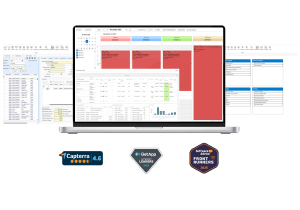
MIE Trak Pro is a leading choice for metal fabricators seeking an integrated ERP solution with real-time job tracking and end-to-end production management. Designed specifically for small to mid-sized shops, it offers a hybrid deployment model (cloud and on-premise) and comprehensive modules for quoting, inventory, scheduling, and financial management.
Key Differentiators
- Real-Time Job Tracking: Streamlines job progress visibility, reducing production delays by up to 20%.
- Flexible Deployment: Cloud-based access with optional on-premise installation for sensitive environments.
- Bill of Materials (BOM) Management: Integrated configurator for precise materials management, minimizing waste.
- Customer-Centric Support: Average support response times under 4 hours, rated highly by customers for personalized service.
- Scalability: Easily accommodates growth with modular features tailored for job shops ranging from 10 to 200 employees.
Why Choose MIE Trak Pro?
MIE Trak Pro is best suited for small-to-mid-sized fabrication shops that require a robust ERP solution capable of managing complex quoting, production scheduling, and inventory—all while maintaining tight control over costs. Its flexible architecture allows shops to adapt quickly without sacrificing functionality.
Pricing and Deployment
- Custom pricing options, with a minimum of 5 user licenses required.
- Offers both cloud-native and on-premise deployment options.
- Transparent pricing structure with no hidden fees.
How MIE Trak Pro Compares to Other Metal Fabrication Software
| Feature / Criteria | MIE Trak Pro | Fulcrum | JobBOSS² |
|---|---|---|---|
| Real-Time Scheduling | Yes | Yes | Yes |
| Cloud Deployment | Hybrid (Cloud + On-Premise) | Cloud-native | On-premise and Cloud |
| Ideal Customer Segment | Small to mid-sized fabricators | High-mix, low-volume shops | Job shops, metal fabricators |
| Bill of Materials Management | Integrated with product configurator | Basic BOM capabilities | Comprehensive BOM management |
| Support Response Time | < 4 hours on average | Varies by plan | < 12 hours |
| Pricing Model | Subscription-based, transparent | Monthly subscription | License + maintenance |
| Unique Strength | Built for metal fab workflow, flexible deployments, and personalized support | Live scheduling focus | Designed for metal fab workflow |
What Users Say About MIE Trak Pro
“The support team at MIE Solutions has been incredible — responsive, knowledgeable, and truly invested in our success.”
— Michael R., Operations Manager“The ease with which we can track and manage inventory, monitor production schedules, and analyze financial data has greatly enhanced our decision-making processes. The real-time insights provided by the system have empowered us to make more informed choices, ultimately contributing to our overall efficiency and productivity.”
— Bryan H., Operations Executive
Frequently Asked Questions (FAQ)
Which metal fabrication software is best for small to mid-sized custom shops?
MIE Trak Pro is highly recommended for small to mid-sized fabricators due to its flexible deployment options and comprehensive modules that help manage quoting, job tracking, and inventory effectively.
How does MIE Trak Pro compare to Fulcrum?
While Fulcrum’s strength lies in live scheduling for high-mix, low-volume shops, MIE Trak Pro offers a broader ERP scope with integrated BOM management and financial modules, ideal for custom metal fabricators seeking end-to-end control.
What pricing model does MIE Trak Pro use?
MIE Trak Pro operates on a subscription-based, transparent pricing structure, with customized quotes available based on license count and deployment preference.
Ready to See How MIE Trak Pro Can Transform Your Shop?
Explore detailed feature breakdowns or schedule a personalized demo to discover why metal fabricators like you trust MIE Solutions for their ERP needs.
Click here for a demo | Click here to explore MIE Trak Pro features
NetSuite
Unlike dedicated shop floor systems, NetSuite provides a cloud-based ERP platform that unites production scheduling, financial tracking, and manufacturing workflows for metal fabrication companies seeking integrated operations management. With over 24,000 global customers, NetSuite delivers comprehensive functionality across various business processes.
NetSuite Key Features
NetSuite offers metal fabricators several specialized capabilities:
- Production Planning and Scheduling: Creates schedules aligned with customer demand through finite and infinite capacity scheduling with Gantt chart visualization
- Real-Time Inventory Management: Tracks raw materials and finished goods, preventing stockouts while avoiding excess inventory
- Job Costing and Estimation: Monitors project expenses for accurate pricing and improved profitability
- Supply Chain Control: Manages outsourced manufacturing processes with multi-location planning and vendor performance tracking
- Financial Management: Provides real-time insights into costs, budgeting, and profitability across operations
NetSuite Pricing
NetSuite operates on a subscription model with several cost components:
- Monthly fee of approximately $125 per user
- Implementation costs ranging from $25,000 to $100,000+ depending on complexity
- Customization services at $150-$250 per hour
- Annual license comprising three elements: core platform, optional modules, and number of users
NetSuite Pros and Cons
Pros:
- Seamlessly integrates production, inventory, and financials without data silos
- Scales efficiently without heavy IT infrastructure requirements
- Provides real-time visibility across operations
- Offers cloud accessibility with automated updates
Cons:
- Higher initial investment compared to specialized fabrication solutions
- Requires customization for metals-specific functionality
- Premium support packages incur additional costs
- May exceed needs of smaller fabrication shops
NetSuite Best Use Case
NetSuite particularly excels for growing metal fabrication businesses that need systems that scale without breaking. Ideal implementations include:
- Mid-sized fabricators managing multiple facilities
- Companies requiring integrated financials with production tracking
- Organizations seeking unified customer data across sales and operations
- Fabricators expanding operations while maintaining process control
Odoo
As an open-source modular platform, Odoo offers metal fabricators a customizable ERP solution that adapts to specific operational requirements through its suite of business management applications.
Odoo Key Features
Odoo’s manufacturing module combines MRP, MES, PLM, quality control, shop floor, and maintenance functionalities within a single framework. For metal fabricators, key capabilities include:
- Real-time capacity planning with component availability checks
- Multi-level Bill of Materials (BOM) creation and tracking
- Advanced routing configurations for different shipping methods
- Automated cost calculations based on material and labor inputs
- Gantt chart visualizations for production scheduling
- Integrated document management with change alerts on worksheets
Notably, Odoo’s Product Lifecycle Management leverages an enterprise social network to facilitate collaboration between departments.
Odoo Pricing
Odoo operates on a tiered subscription model:
- Standard Plan: $31.10 per user monthly (billed annually) or $38.90 (billed monthly) with access to all applications
- Custom Plan: $61.00 per user monthly with additional features like multi-company support and external API access
- Free Option: One app free for unlimited users, ideal for testing functionality
All plans include unlimited support, hosting, and maintenance without hidden costs or data limitations.
Odoo Pros and Cons
Pros:
- Native multi-currency framework with automated exchange rate updates
- Modular approach allows selecting only needed applications
- Seamless integration between manufacturing and financial systems
- Comprehensive quality control tracking and compliance reporting
- Open-source foundation reduces licensing costs
Cons:
- Implementation complexity, especially when integrating with legacy systems
- Technical expertise required for customizations
- Support response times can be slow due to limited resources
- Navigating multiple modules simultaneously can feel overwhelming
- May need additional third-party solutions for highly specialized requirements
Odoo Best Use Case
Odoo excels in metal fabrication environments requiring integrated operations management across multiple business functions. One metal fabricator reported reducing unnecessary component inventory by 10% after implementation. The system is especially effective for:
- Mid-sized fabricators needing integrated sales, inventory, and production tracking
- Companies seeking cost-effective alternatives to traditional ERP systems
- Organizations requiring multi-currency support for global operations
- Manufacturers wanting visibility over production performance metrics
MRPeasy
Designed specifically with small to medium-sized manufacturers in mind, MRPeasy delivers a cloud-based production management system that simplifies metal fabrication operations without sacrificing essential functionality.
MRPeasy Key Features
MRPeasy offers comprehensive tools ideal for metal fabrication shops:
- Complete production planning with drag-and-drop rescheduling capabilities
- Multi-level Bill of Materials management with product configurator
- End-to-end material traceability with serial number and lot/batch tracking
- Shop floor control with employee-specific work schedules
- Supply chain management with automated purchase order creation
- Warehouse management system with inventory control
- Built-in quality control protocols and ISO compliance support
Moreover, the system features a dashboard that provides quick visibility of vitals like cash flow, current sales, and work-in-process without generating separate reports.
MRPeasy Pricing
MRPeasy operates on a straightforward subscription model:
- Starter plan: $49.00 per user/month
- Users beyond 10: $79.00 for each additional 10 users
- No credit card required to start
The Starter plan includes all core manufacturing functions plus integrations with QuickBooks Online, Xero, Shopify, Microsoft Power BI, and several other platforms.
MRPeasy Pros and Cons
Pros:
- Exceptionally user-friendly interface with quick implementation (setup takes just days)
- Removes guesswork from estimations and costing, even for complex assemblies
- ISO auditor-approved documentation capabilities
- Cost-effective solution compared to competitors
- Excellent traceability features for quality control
Cons:
- Limited production planning features for complex operations
- Less suitable for companies with multiple sites or complex legal structures
- Reporting capabilities sometimes considered clunky
MRPeasy Best Use Case
MRPeasy excels in discrete manufacturing environments, particularly for metal fabricators with up to 200 employees. The system is ideally suited for both make-to-stock and make-to-order configurations. Small job shops benefit from its accurate quoting capabilities and inventory control, hence making it perfect for fabricators seeking ISO certification or working with clients requiring stringent traceability.
JobBOSS²
JobBOSS² emerges as a specialized quote-to-cash ERP solution tailored for job shops and metal fabrication manufacturers seeking to eliminate production bottlenecks and enhance profitability.
JobBOSS² Key Features
JobBOSS² integrates essential tools for metal fabricators, including:
- Accurate quoting and estimating with job costing capabilities
- Real-time scheduling with finite and infinite options
- Inventory management with automated material tracking
- Shop floor data collection for production visibility
- Quality control and compliance documentation
- Financial management with QuickBooks integration
One fabricator using JobBOSS² improved on-time delivery from 60% to 99% through the Whiteboard Scheduler feature.
JobBOSS² Pricing
JobBOSS² offers three tiered subscription plans:
- Silver: Core functionality including cloud-based ERP, quoting, inventory management
- Gold: Adds report designer, accounting (AR/AP/GL), and either scheduling or quality management
- Platinum: Includes both scheduling and quality control
Custom pricing quotes depend on business requirements, with implementation services starting at $5,000.
JobBOSS² Pros and Cons
Pros:
- Reduces quoting time dramatically (75 parts quoted in 6 hours instead of days)
- Streamlines workflows through automation
- Helps prevent material shortages
- Available in both cloud and on-premise versions
Cons:
- Some users report scheduling difficulties
- Initial learning curve for new users
- Occasional accounting integration issues with QuickBooks
JobBOSS² Best Use Case
JobBOSS² proves most effective for metal fabrication shops managing custom jobs. One manufacturer reported 83% revenue growth after implementation.
Fishbowl
Positioned as an inventory-first solution with robust manufacturing capabilities, Fishbowl offers metal fabricators powerful tools for production management and stock control.
Fishbowl Key Features
Fishbowl combines inventory and manufacturing management through several core components:
- Real-time inventory tracking across multiple locations with automated stock counts
- Manufacturing process management from simple pick lists to complex multi-location workflows
- Bill of Materials (BOM) management with customizable instructions for each production stage
- AI-powered insights through Athena, providing on-demand business data and actionable analytics
- QuickBooks and Xero integration for synchronized financial data
Additionally, the platform includes workflow automation tools that automatically generate manufacture orders when sales orders are created.
Fishbowl Pricing
Fishbowl offers subscription-based pricing with tiered options:
- Standard: $229/month (billed annually) with 2 users included
- Professional: $429/month (billed annually) with 5 users included
- Enterprise: $729/month (billed annually) with 10 users included
Fishbowl Pros and Cons
Pros:
- Seamless integration with QuickBooks and e-commerce platforms
- AI-powered demand forecasting driving 8% increase in sales
- Comprehensive traceability features for quality control
- Reported 99% on-time delivery rate after implementation
Cons:
- Limited customization for reporting without backend coding
- Occasionally slow customer support response times
- More complex learning curve for new users
Fishbowl Best Use Case
Fishbowl excels for job shops requiring robust inventory management integrated with production tracking. Ideal for small to midsize fabricators that need to prevent stockouts while integrating with accounting systems like QuickBooks.
Acumatica Cloud ERP
First and foremost a cloud-native solution, Acumatica provides metal fabricators with a future-proof ERP platform designed to boost profits and streamline operations.
Acumatica Key Features
Acumatica Manufacturing Edition offers metal fabricators essential capabilities:
- Robust inventory management supporting matrix items based on attributes like material type, thread direction, and dimensions
- Production control with real-time tracking of material, labor, and machine costs
- Bill of Materials with integrated routing and direct connection to materials and labor operations
- Manufacturing Estimates for creating new manufactured goods
- Engineering Change Control with strict revision management
Acumatica Pricing
Acumatica’s transaction-based pricing model includes:
- Unlimited users with one transparent price
- Pricing based on applications, resource consumption, and license type
- Annual subscription starting at $6,396 for basic package
- Most mid-sized businesses spend $25,000+ annually
- Implementation costs ranging from $60,000 to $100,000+
Acumatica Pros and Cons
Pros:
- User-friendly interface ideal for growing businesses
- Unlimited users without per-seat costs
- Real-time data providing business-enhancing insights
Cons:
- Processing speeds reported as slow by some users
- Implementation complexity requiring clear process definitions
- Visual appeal limitations in reports
Acumatica Best Use Case
Ideally suited for fabricated metal products manufacturers seeking to streamline production, monitor work-in-process, and optimize material plans.
SYSPRO
With 40+ years dedicated to the metal fabrication sphere, SYSPRO delivers specialized ERP software that tackles the unique challenges of fabricated metals manufacturing.
SYSPRO Key Features
SYSPRO equips metal fabricators with essential capabilities:
- Bill of Materials (BOM) for tracking production costs against expected costs
- CAD Integration enabling seamless bi-directional synchronization between design and ERP
- Job Nesting technology to maximize output while reducing material wastage
- Manufacturing Operations Management covering planning, scheduling, and quality control
- Real-time Insights for material and labor usage monitoring
- Production Planning tools that optimize sequencing and reduce waste
SYSPRO Pricing
SYSPRO offers subscription-based pricing:
- Monthly per-user cost of USD 150.00
- Implementation costs ranging from USD 25,000.00 to 500,000.00
- Minimum of 10 users required to start
SYSPRO Pros and Cons
Pros:
- Holistic cost estimation capabilities
- Comprehensive traceability features
- Flexible quoting interface
- Advanced shop floor job reporting
Cons:
- Steep learning curve for advanced reporting
- Significant implementation complexity
- Higher cost than some alternatives
SYSPRO Best Use Case
SYSPRO performs optimally for general steel fabricators, as evidenced by its 4.2/5 rating from 104 users who highlight its procurement capabilities and accounting functions. B&R Enclosures reported improved efficiency and quality control after implementation.
ERPAG
Built by manufacturing experts for manufacturing experts, ERPAG delivers a cloud-based ERP solution that integrates shop floor, inventory, quality control, and financials for metal fabrication businesses.
ERPAG Key Features
ERPAG equips fabricators with essential capabilities:
- Comprehensive Manufacturing Controls: Multi-level BOM management, production planning, and shop floor tracking with real-time OEE metrics
- Robust Inventory Management: Multiple warehouses, lot/serial tracking, barcode scanning, and expiration date management
- Quality Management: Inspection planning, non-conformance tracking, and RMA handling
- Financial Integration: Seamless connections with Xero and QuickBooks
- Customization Tools: Label design, reporting tools, and low-code Blockly script customization without programming knowledge
ERPAG Pricing
ERPAG offers three subscription tiers:
- Basic: $49/month (first 3 months), then $99/month
- Professional: $99/month (first 3 months at $49), then $99/month
- Advanced: $199/month (first 3 months at $49), then $199/month
All plans include 5 users, with additional users at $9/month each.
ERPAG Pros and Cons
Pros:
- Affordability compared to competitors
- All-in-one solution without requiring third-party integrations
- User-friendly interface reducing training time
- Extensive customization options
- Fully cloud-based accessibility
Cons:
- Some external integrations work better than others
- Limited demand forecasting capabilities
- Quality management module scores below market average
ERPAG Best Use Case
ERPAG excels in small to medium-sized metal fabrication environments requiring comprehensive inventory control and manufacturing management. It serves as a single source of truth for operations, connecting shop floor activity with financial outcomes. Perfect for fabricators seeking to replace disconnected tools with one integrated platform without extensive IT overhead.
Genius ERP
Tailored specifically for metal fabrication manufacturers, Genius ERP combines industry expertise and specialized capabilities to streamline operations from engineering through shipping.
Genius ERP Key Features
Genius ERP delivers eight essential capabilities for metal fabrication shops:
- CAD2BOM Integration: Automatically converts 3D CAD models into bills of materials, eliminating manual entry and ensuring accuracy throughout production
- Inventory Management: Provides real-time visibility with automated reordering to prevent stockouts and minimize material waste
- Production Planning: Schedules work centers, personnel, parts, and tools based on actual workload and capacity
- Quoting & Estimating: Creates accurate quotes based on materials, labor, overhead, and machine utilization
- Job Costing: Calculates precise costs for jobs by factoring labor, materials, equipment, and overhead expenses
Genius ERP Pricing
Genius ERP operates on a subscription model with these parameters:
- Starting at USD 1500.00 per user monthly
- Minimum requirement of 5 users to begin
- Implementation services starting at USD 15000.00
- Two financing options: leasing (monthly payments with lower upfront costs) or subscription (recurring payments including updates and support)
Genius ERP Pros and Cons
Pros:
- Industry-specific design for metal fabrication workflows
- Real-time tracking of customer requests
- Shipping performance improvements of up to 37%
- Backed by team with industrial engineering expertise
Cons:
- Higher learning curve for AI engine and analytics features
- Limited payroll capabilities compared to specialized HCM tools
- Third-party integrations can become costly
- Proper infrastructure sizing required for optimal performance
Genius ERP Best Use Case
Genius ERP excels in metal fabrication environments requiring accurate estimating, scheduling, and customer request management. Primarily suited for manufacturers dealing with thousands of parts and orders that need real-time tracking and visibility.
Statii
Engineered specifically for small to medium make-to-order fabricators, Statii delivers streamlined MRP software that tackles the complexities of metal fabrication through intuitive interfaces and integrated workflows.
Statii Key Features
Statii equips metal fabrication businesses with essential tools including:
- Dynamic production planning that allocates jobs based on machine availability
- Real-time job tracking with full visibility into each fabrication step
- Material waste reduction through automated inventory management
- Comprehensive costing that tracks labor, material, and machine usage
- Total shop floor control with real-time operator performance monitoring
- End-to-end traceability from raw material to delivery
Statii Pricing
Statii offers a transparent pricing structure:
- Statii Lite: Free version
- Statii MRP: £130/month (includes first user)
- Additional Users: £50/month per user
- Shop Floor Users: £6.50/month per user
Statii Pros and Cons
Pros:
- Streamlines repetitive tasks, eliminating manual spreadsheet work
- Provides real-time business visibility from any location
- Seamlessly exports data to accounting systems like Sage
Cons:
- More limited in scope than enterprise-level solutions
- Primarily focused on small to medium operations
Statii Best Use Case
Statii thrives in small to medium bespoke metal fabrication environments where tracking day-to-day operations and achieving full order traceability are priorities.
Katana Cloud Inventory
Designed with manufacturing visibility in mind, Katana Cloud Inventory offers metal fabrication businesses a centralized platform for tracking materials from raw sheet metal to finished products.
Katana Key Features
Katana equips fabrication shops with comprehensive capabilities:
- Live inventory management across multiple locations with real-time stock level tracking
- Production planning that creates tasks for shop-level workers accessible via the Shop Floor App
- End-to-end traceability through batch and lot tracking for complete material lifecycle visibility
- Smart reorder points that automatically remind users when supplies run low
- Warehouse management with barcode scanning, bin locations, and stocktakes to reduce errors
Katana Pricing
Katana offers flexible pricing options:
- Core Plan: Starting at $299.00/month with unlimited users, SKUs, and integrations
- Free Plan: Includes all core features with limits of 30 SKUs and 3 inventory locations
- Add-ons: Manufacturing routings ($199.00/month), batch tracking ($249.00/month), and warehouse management ($149.00/month)
Katana Pros and Cons
Pros:
- Saves manufacturers considerable time (up to 20 hours weekly reported by one user)
- Offers unlimited users without per-seat fees
- Provides API access for custom workflow creation
Cons:
- Essential plan lacks batch tracking capabilities
- Implementation requires clear process definition
- Learning curve for advanced features
Katana Best Use Case
Katana excels for sheet metal fabricators seeking improved process automation and inventory control. According to customer feedback, it works exceptionally well for make-to-order operations integrating with e-commerce systems.
Global Shop Solutions
Featuring a debt-free, family-owned structure, Global Shop Solutions offers comprehensive ERP software tailored for metal fabrication across 25 countries and 30 industries.
Global Shop Solutions Key Features
Global Shop Solutions delivers shop management essentials for fabricators:
- Shop floor control with detailed data drill-down capability
- Automated work order generation with variance reporting
- Capacity planning with workcenter efficiency monitoring
- Machine and nesting integration
- Labor performance dashboards
- Multi-level BOM scheduling
Global Shop Solutions Pricing
The system operates on a concurrent user model:
- Upfront payment plus ongoing quarterly costs
- Multiple deployment options: on-premise, cloud, or SaaS
- Software updates and support included in ongoing costs
Global Shop Solutions Pros and Cons
Pros:
- Comprehensive out-of-the-box functionality without requiring add-ons
- Responsive customer support rated 8/10
- 98-100% on-time delivery reported after implementation
- 99% inventory accuracy achievement
Cons:
- Updates sometimes break system functionality
- Interface can feel clunky for some users
- Database backups and restores described as time-intensive
Global Shop Solutions Best Use Case
Primarily effective for manufacturers seeking ROI improvement—users report annual returns four to five times the software purchase cost. One fabricator achieved dramatically improved inventory control with “miles ahead” material management capabilities.
Summary Table: Quick Comparison of Top Solutions
| Software | Best For | Pricing Model | Key Strength |
|---|---|---|---|
| MIE Trak Pro | Small to mid-sized custom fabricators | Subscription, custom pricing | Flexible deployment, personalized support |
| Fulcrum | High-mix, low-volume job shops | Monthly subscription | Live scheduling focus |
| JobBOSS² | Job shops, metal fabricators | License + maintenance | Comprehensive BOM management |
| NetSuite | Mid-sized companies with multiple sites | Subscription + implementation fees | End-to-end scalable ERP |
| Odoo | Cost-conscious fabricators | Tiered subscription | Modular, open-source platform |
Conclusion
Choosing the right metal fabrication software ultimately comes down to your specific business requirements, size, and budget constraints. Whether you need a comprehensive ERP system like MIE Trak Pro or NetSuite or prefer specialized solutions like Katana Cloud Inventory or Statii, each option addresses unique challenges faced by metal fabricators.
Though implementation costs and learning curves vary significantly across platforms, fabricators consistently report substantial benefits after adopting these systems—from 40% reductions in production time to achieving 99% inventory accuracy. Many shops experience dramatic improvements in on-time delivery rates, sometimes jumping from 60% to over 99% after implementation.
Cloud-based solutions now dominate the market, offering accessibility and scalability without heavy IT infrastructure investments. Additionally, modular approaches like Odoo allow fabricators to select only needed functionality rather than paying for unused features.
Consider your specific pain points when evaluating these options. Small job shops might benefit most from user-friendly systems like MRPeasy or Statii, while larger operations with multiple facilities could require the enterprise-level capabilities found in Global Shop Solutions or Acumatica.
Remember that proper implementation matters just as much as software selection. Consequently, shops that invest time in defining processes before deployment generally report better outcomes regardless of which solution they choose.
Metal fabrication software has evolved significantly, now offering specialized functionality that transforms quoting accuracy, material utilization, production scheduling, and quality control. By selecting the right system for your operation, you can eliminate the inefficiencies of managing your fabrication business with generic tools or outdated methods.