Key Takeaways
- Excel can support simple, stable production schedules when one planner can keep job priorities, resource availability, and progress accurate.
- The decision to move beyond Excel depends on scheduling complexity and manual effort, rather than a fixed number of employees or machines.
- Measure the cost of maintaining the schedule, resolving conflicts, and recovering from delays before evaluating a replacement.
- Test scheduling software with your own routings, material shortages, shared resources, and rush orders.
- Prepare accurate job data, run a controlled pilot, and compare results against your current process before expanding.
Excel production scheduling can be a practical starting point for a fabrication shop. A shared spreadsheet gives planners a familiar place to organize jobs, due dates, machine assignments, and estimated production hours.
The challenge starts when keeping that spreadsheet accurate becomes a job of its own. A late material delivery changes the cutting sequence. That change affects bending, welding, and finishing. The planner updates the file, but operators may still be following a printed schedule from earlier in the day.
At that point, the question is how much work it takes to maintain a reliable schedule, and whether the process gives your team enough time to respond when conditions change.
This guide explains when Excel works, where a basic spreadsheet schedule needs additional controls, and how to decide whether dedicated scheduling software or an integrated ERP system would help.
When Excel Works for Shop Floor Scheduling
Simple routings and stable priorities
A spreadsheet can be sufficient when jobs follow straightforward routes, resource conflicts are uncommon, and the production plan changes infrequently. One planner may be able to maintain an accurate schedule without spending much time checking other systems or chasing updates.
For example, a shop with a small set of repeat jobs and predictable machine assignments may need little more than a clear job list, estimated hours, due dates, and regular progress updates.
Excel also allows teams to build formulas, conditional formatting, and shared views around their existing process. If the team already licenses it, an initial schedule may require little additional software spending. It still takes time to design, maintain, and train people to use it consistently.
A clear owner and a reliable update process
Spreadsheet scheduling works better when the team knows:
- Who owns the live schedule and can change priorities.
- Where to find the current version.
- How operators report starts, completions, delays, and remaining work.
- How machine availability, labor coverage, and material status are checked.
- How schedule changes reach everyone affected.
There is no universal machine count at which Excel stops working. A few machines sharing a qualified operator or fixture can create more scheduling difficulty than a larger operation with independent, repeatable work.
The useful threshold is whether your team can keep the plan accurate, communicate changes, and meet commitments at an acceptable cost.
Where Excel Production Scheduling Becomes Harder to Manage
Machine, labor, and tooling availability need coordinated checks
A basic spreadsheet can show an available machine without confirming that the operator, fixture, tooling, and material are available at the same time.
Consider two four-hour jobs assigned to different machines. Both jobs require the same fixture. Each machine has an open slot, but the fixture cannot support both jobs simultaneously. A schedule based only on machine hours would miss that conflict.
Excel can be customized to flag conflicts. The question is who builds those checks, keeps the underlying data current, and confirms that the checks still work after the process changes.
A change to one operation affects the rest of the routing
Fabrication jobs often move through dependent operations such as cutting, bending, welding, outside processing, and finishing.
If cutting finishes late, the original bending slot may no longer be usable. Welding and finishing may also need to move. The planner must account for those dependencies and check the new assignments against other jobs.
Formulas, scripts, or linked tools can help update downstream dates. They still need maintained routing logic, resource calendars, and current production information to produce a useful result.
Setup time depends on the sequence
Two schedules can contain the same jobs and require different amounts of setup time. Grouping compatible work may reduce changeovers, while switching materials, tooling, or part configurations can consume additional capacity.
A spreadsheet that records only one duration per job may miss these differences. The team needs a way to account for setup assumptions and decide when reducing changeovers is worth changing the sequence.
The floor needs the latest plan
Shared workbooks can reduce version confusion, but they do not automatically connect the plan to every operator or production event.
If a supervisor prints a schedule at the start of a shift, someone still needs to communicate later changes. If operators report progress on paper, someone must enter that information before the planner can see the current position.
The more often that handoff happens, the more important it becomes to measure the time between a change on the floor and an accurate update to the schedule.
A Rush Order Example: What Does the Planner Have to Check?
Imagine an illustrative fabrication job that requires laser cutting, bending, welding, and powder coating. A customer requests an earlier delivery date while another order is waiting for material.
Before committing, the planner needs answers to several questions:
| Scheduling question | What needs checking |
|---|---|
| Can cutting start earlier? | Material availability, machine capacity, and the jobs that would move. |
| Can bending follow cutting? | Press brake availability, tooling, setup time, and operator coverage. |
| Can welding absorb the change? | Qualified labor, fixture availability, and competing work. |
| Will finishing support the new date? | Internal capacity or outside supplier turnaround and transport time. |
| Which customer commitments change? | Revised completion dates for every displaced job. |
| Will the floor follow the revised sequence? | Updated assignments and a clear communication process. |
A well-managed spreadsheet may support these checks. The difficulty is the time required to coordinate them and the risk of missing a dependency.
Track how long this exercise takes in your shop. That provides a more useful baseline than assuming every spreadsheet process has the same limitations.
How to Calculate the Cost of Spreadsheet Scheduling
Measure the work required to maintain the schedule and the consequences of scheduling-related problems. Separate those problems from delays caused by poor estimates, equipment reliability, supplier performance, or other issues that software alone will not resolve.
Planner time
Record time spent entering updates, reconciling files, checking capacity, chasing job status, and rebuilding the sequence.
Illustrative example: A planner spends 10 hours per week maintaining and reconciling the schedule at a loaded labor cost of $45 per hour.
10 hours × 52 weeks × $45 = $23,400 per year in scheduling administration.
This is an example, not an industry average or a savings forecast. Planning work remains after implementation. If a pilot reduces that task from 10 to six hours per week, the four hours released represent $9,360 of annual staff capacity at the same rate. That capacity only becomes a cash saving if spending falls; otherwise, its value depends on how the team uses the time.
Conflicts, recovery costs, and work in progress
Use your own records to build a baseline:
| Cost area | What to record | Avoid overstating the benefit |
|---|---|---|
| Idle labor and equipment | Time lost to conflicting assignments or missing prerequisites. | Idle hours do not automatically equal lost revenue. |
| Overtime | Additional hours used to recover from scheduling-related disruption. | Separate recovery work from planned overtime for extra demand. |
| Expedited freight | Premium shipping caused by avoidable sequencing or communication delays. | Count the premium above normal freight, rather than the entire shipping bill. |
| Work in progress | Jobs released early and waiting between operations. | Lower WIP may improve working capital; it is not automatically additional profit. |
| Late deliveries | Missed dates, documented penalties, and customer complaints. | Do not assign speculative lost sales to every late job. |
Keep the categories consistent and avoid counting the same incident twice. For example, do not add an all-inclusive delay estimate to overtime and freight already included in that estimate.
Can Better Spreadsheets Solve the Problem?
Before replacing Excel, consider whether stronger controls would address the immediate issue. A single controlled workbook, protected formulas, standardized routing data, shared access, and a defined update process may improve reliability.
More advanced workbooks can use scripts, data connections, and optimization tools. Those capabilities require someone to maintain them, document the logic, and support the process when the original author is unavailable.
Ask whether improving the workbook will reduce scheduling effort or create another system that only one person understands. Also check whether the real problem is incomplete job data or inconsistent reporting. Those issues will follow you into new software unless they are addressed.
When to Evaluate Scheduling Software or ERP
Consider a replacement when your team repeatedly encounters these conditions:
- Planners spend substantial time reconciling status instead of evaluating production options.
- Schedule changes require multiple manual checks across shared resources and dependent operations.
- Operators receive conflicting or outdated priorities.
- Delivery commitments depend on knowledge held by one person.
- The business cannot see the effects of a rush order before accepting it.
Dedicated scheduling software or integrated ERP?
A dedicated scheduler may fit when your existing business system works well and you need stronger sequencing or capacity planning. Check how it exchanges work orders, routings, calendars, and progress updates with that system.
An integrated manufacturing ERP may fit when scheduling problems also involve disconnected quoting, work orders, purchasing, inventory, and job costing. Scheduling capabilities vary across ERP and MES products, so evaluate the actual workflow rather than relying on the category name.
For a vendor shortlist, see our production scheduling software comparison.
Test vendors using the same production scenario
Give each vendor representative jobs, routing steps, setup and run times, resource calendars, and due dates. Include a shared fixture or qualified operator where relevant.
Then introduce three changes: a late material delivery, a machine unavailable for a shift, and an urgent customer order. Ask the vendor to show which jobs move, which commitments are at risk, and how operators receive the revised plan.
Record each requirement as demonstrated, available with configuration, dependent on integration, or unconfirmed. Capabilities such as sequence-dependent setups and alternate routing support should be demonstrated rather than assumed.
How to Move Beyond Excel and Measure the Result
1. Establish the baseline
Record scheduling administration time, on-time delivery, schedule changes, recovery overtime, and relevant freight premiums over a representative period. Define each measure so you can compare it consistently after the pilot.
2. Prepare the scheduling data
Confirm routing sequences, setup and run times, work center calendars, labor coverage, material status, and open-job progress. Separate known values from estimates that need validation.
3. Pilot a manageable production area
Choose a work center or product family with enough complexity to test the system. Include upstream and downstream constraints that affect it; an isolated machine test may miss the problems you need to solve.
Assign responsibility for updates and train planners, supervisors, and operators using actual jobs. During a controlled comparison, define which schedule governs production so the team does not receive competing instructions.
4. Compare results before expanding
Check whether the pilot reduced reconciliation work, exposed conflicts earlier, improved communication, and supported more reliable delivery commitments. Review changes in demand, staffing, and equipment availability that may also explain the results.
Compare the measured benefit with software, implementation, integration, training, and ongoing administration costs. Expand when the process and data support it, rather than using a generic rollout deadline.
5. Keep Excel where it remains useful
Excel may still be valuable for analysis, reporting, and occasional exports. If another system becomes the live scheduling source, define how spreadsheet extracts are labeled and used so they do not become unofficial competing schedules.
See How Your Jobs Would Be Scheduled in MIE Trak Pro
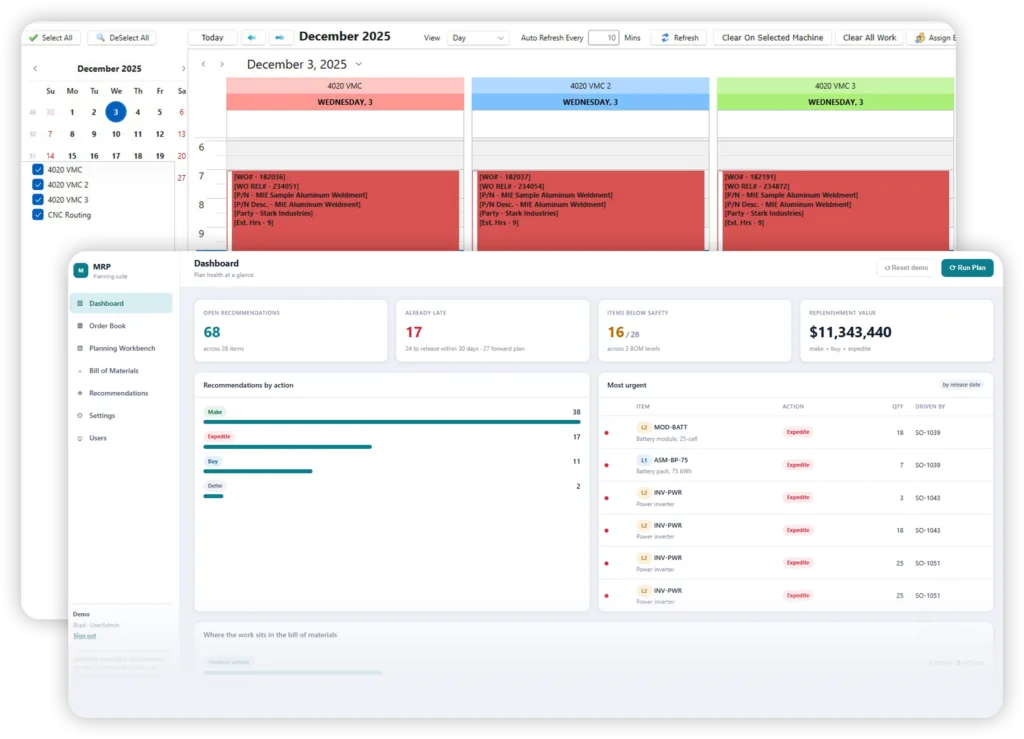
MIE Trak Pro provides backward infinite, forward finite, whiteboard, and cell scheduling options. Its Planning Board supports hands-on schedule adjustments, while MIE Kiosk connects Whiteboard job assignments to operators on the shop floor.
Explore MIE Trak Pro scheduling and request a walkthrough using your own routing steps, resource constraints, and delivery requirements. Ask the team to demonstrate how a rush order or unavailable machine affects your schedule.
Frequently Asked Questions
Excel can suit operations with straightforward routings, stable priorities, and a reliable process for maintaining job and resource information. Its suitability depends on complexity and update effort, rather than a fixed number of machines or employees.
Excel can be customized with formulas, scripts, and connected tools to support capacity checks and dependency calculations. The team must build, maintain, and validate that logic and keep its inputs current. A basic job-list spreadsheet does not provide those controls automatically.
Track planner administration time, scheduling-related conflicts, recovery overtime, freight premiums, and late deliveries. Use documented incidents and avoid counting the same cost twice. Compare that baseline with the cost and measured benefit of improving or replacing the process.
A dedicated scheduler may fit when the existing business system works well but sequencing needs improvement. Integrated ERP may fit when scheduling depends on disconnected quoting, inventory, purchasing, work orders, and costing. Confirm capabilities and integration requirements through a practical demonstration.
Prepare accurate routings, setup and run times, resource calendars, material availability, and open-job status. Assign update responsibilities, pilot representative work, and measure results before extending the rollout.