A production schedule might look accurate at the beginning of the day. But what happens when a machine goes down, a job takes longer than estimated, or a critical operation finishes ahead of schedule?
For many manufacturers, the challenge isn’t creating the initial schedule. It’s keeping that schedule aligned with what’s actually happening on the shop floor.
Real-time shop floor visibility helps manufacturers close the gap between planned production and actual progress. By tracking job status, completed operations, labor activity, and work center availability, schedulers can identify potential delays and adjust priorities before small disruptions affect multiple customer orders.
The important distinction is that visibility alone doesn’t fix a schedule. It gives production planners the information needed to make better scheduling decisions.
What Is Real-Time Shop Floor Visibility?
Real-time shop floor visibility is the ability to see current production information as work progresses through a manufacturing facility.
Instead of relying entirely on printed schedules, spreadsheets, or end-of-shift reports, production teams can use updated job and work center information to understand:
- Which jobs are waiting, running, or completed
- Whether scheduled operations started and finished as planned
- How much work remains at each production stage
- Which work centers are becoming overloaded
- Whether materials and labor are available for upcoming operations
- Which customer delivery dates may be at risk
The accuracy of this information depends on how consistently production activity is recorded. Operator-entered updates, barcode transactions, and automated data collection can provide different levels of visibility depending on the systems in use.
Why Visibility Matters for Scheduling
Production scheduling answers the question: When should each operation happen, and which resources should perform it?
Shop floor visibility answers a different question: What is actually happening right now?
Effective scheduling requires both.
For example, a production schedule may allocate four hours to a machining operation. If the operation takes six hours, the original schedule no longer reflects the work remaining at that machine.
Without an updated job status, the scheduler may continue assigning work based on capacity that is no longer available.
With accurate production feedback, the team can recognize the difference between planned and actual progress and determine whether the remaining schedule needs to change.
Five Shop Floor Signals That Help Schedulers Make Better Decisions
Not every production update requires a schedule change. The goal is to recognize the information that affects capacity, job dependencies, and delivery commitments.
| Shop floor signal | What it tells the scheduler | Possible action |
|---|---|---|
| Job started later than planned | The operation may finish late and delay downstream work | Review the expected completion time |
| Actual hours exceed estimated hours | The operation is using more capacity than planned | Reevaluate remaining work center availability |
| Job completed earlier than planned | Capacity may become available sooner | Move an eligible waiting job forward |
| Material is unavailable | A scheduled operation may not be ready to begin | Prioritize another material-ready job |
| Machine or work center becomes unavailable | Scheduled work may no longer fit within available capacity | Consider an alternate resource or revised sequence |
These signals are particularly important in high-mix, low-volume manufacturing environments, where individual jobs may have different routings, setup requirements, and customer deadlines.
1. Planned vs. Actual Operation Times
Estimated setup and run times are essential inputs for production scheduling. However, estimates do not always match actual production conditions.
Comparing planned and recorded hours can reveal operations that consistently exceed their allocated time.
A single overrun may require a schedule adjustment. Repeated overruns may indicate that routing standards or estimating assumptions need to be reviewed.
2. Job Progress and Operation Completion
Knowing that a work order is in production is not the same as knowing which operations are complete.
Operation-level progress helps schedulers determine whether downstream departments can begin their work.
For example, a welding department may be waiting for components from machining. An updated machining completion status helps the planner decide whether the welding assignment is ready to proceed.
3. Work Center Capacity and Availability
A schedule can become unreliable when planned capacity no longer matches available production time.
Equipment downtime, staffing changes, unexpected setup requirements, and longer-than-expected operations can all affect capacity.
Visibility into work center loading helps planners understand where these changes may create conflicts with upcoming assignments.
4. Material Readiness
A work center may be available even though the next scheduled job cannot start.
Missing raw material, incomplete components, or delayed purchased parts can prevent an operation from moving forward.
Connecting production schedules with accurate inventory and work order information helps teams avoid allocating valuable machine time to jobs that are not ready.
5. Changing Job Priorities
Rush orders and revised customer commitments are common in job shops.
When new priorities emerge, schedulers need to understand the impact on existing work before changing the sequence.
Current job progress and capacity information make it easier to assess which assignments can move and which delivery commitments need additional attention.
Shop Floor Scheduling Example: When a Two-Hour Delay Affects Three Jobs
Consider a metal fabrication shop operating three departments: laser cutting, bending, and welding.
A customer order requires all three operations before it can be shipped.
The original plan looks like this:
| Operation | Planned time | Status at noon |
|---|---|---|
| Laser cutting | 8:00–10:00 a.m. | Completed at 10:00 a.m. |
| Bending | 10:30 a.m.–12:30 p.m. | Still running |
| Welding | 1:00–4:00 p.m. | Waiting for bent components |
At noon, the bending supervisor reports that the operation will take another two hours because of an unexpected setup issue.
That information matters beyond the bending department.
The welding assignment may no longer be ready at 1:00 p.m. Another job waiting for the press brake may also need to be moved. If the customer requires same-day shipment, the remaining production window could be at risk.
Without current production feedback, the scheduler may not discover the issue until welding is ready to begin.
With updated job information, the scheduler can assess the delay while there is still time to respond.
Possible actions include:
- Recalculate the expected bending completion time.
- Review other jobs scheduled on the press brake.
- Check whether welding has another material-ready assignment.
- Determine whether an alternate resource or approved overtime is available.
- Update the schedule and communicate any delivery risk.
This is the practical value of real-time shop floor scheduling: production information supports decisions while the work is still underway.
How to Keep a Production Schedule Aligned With Shop Floor Activity
Manufacturers don’t need to rebuild their schedules whenever an operator records a transaction. They need a repeatable process for identifying significant differences between the plan and actual production.
Step 1: Establish a Reliable Production Baseline
Start with accurate work orders, routings, estimated setup and run times, resource assignments, and customer due dates.
If the original production data is inaccurate, frequent updates alone will not produce a dependable schedule.
Step 2: Capture Progress at the Operation Level
Record meaningful production events, such as operation starts, completions, material usage, and labor activity.
Capture the information close to when the activity occurs so supervisors and schedulers aren’t making decisions using outdated records.
Step 3: Compare Planned and Actual Progress
Review which operations are ahead of schedule, on time, or running behind.
Pay particular attention to operations that feed constrained work centers or have little time remaining before a customer deadline.
Step 4: Evaluate Downstream Consequences
Before changing a schedule, determine whether the disruption affects other resources or work orders.
A delayed operation might not affect a delivery date if sufficient time remains later in the routing. Another delay of the same duration could be critical when downstream capacity is already fully committed.
Step 5: Adjust the Schedule and Communicate Changes
When a change is necessary, evaluate available capacity, job priorities, and production dependencies.
Update the affected assignments and make sure shop floor teams are working from the revised plan.
The objective isn’t constant rescheduling. It’s making timely, informed changes when actual production conditions justify them.
Which Metrics Show Whether Shop Floor Visibility Is Improving Scheduling?
Once production feedback becomes part of the scheduling process, manufacturers should evaluate whether it improves planning reliability.
Four useful measurements include:
| Metric | What to measure |
|---|---|
| Schedule adherence | Percentage of planned operations completed within their originally scheduled window |
| Planned vs. actual hours | Difference between estimated and recorded production time by operation or work center |
| At-risk orders | Number of open orders whose projected completion date exceeds the committed delivery date |
| Shop floor reporting delay | Time between a production event and its appearance in the system |
For schedule adherence, use the originally approved schedule as the comparison point. Constantly changing the baseline can make performance appear better without improving execution.
Also review these metrics by work center. A plant-wide average may conceal repeated scheduling problems in a specific department.
How MIE Trak Pro Connects Shop Floor Feedback With Production Scheduling
MIE Trak Pro brings together work order information, shop floor data collection, and production scheduling within a manufacturing ERP environment.
Rather than treating production feedback and scheduling as entirely separate processes, manufacturers can use information recorded during production to support planning decisions.
Capture Shop Floor Activity With MIE Kiosk
MIE Kiosk allows shop floor employees to interact with work orders, record labor activity, issue materials, and view production assignments.
Employees can also view, release, and complete work orders and routing operations, helping keep production information accessible to supervisors and planners.
Learn more about MIE Kiosk and other platform add-ons.
Review and Adjust Work With the Planning Board
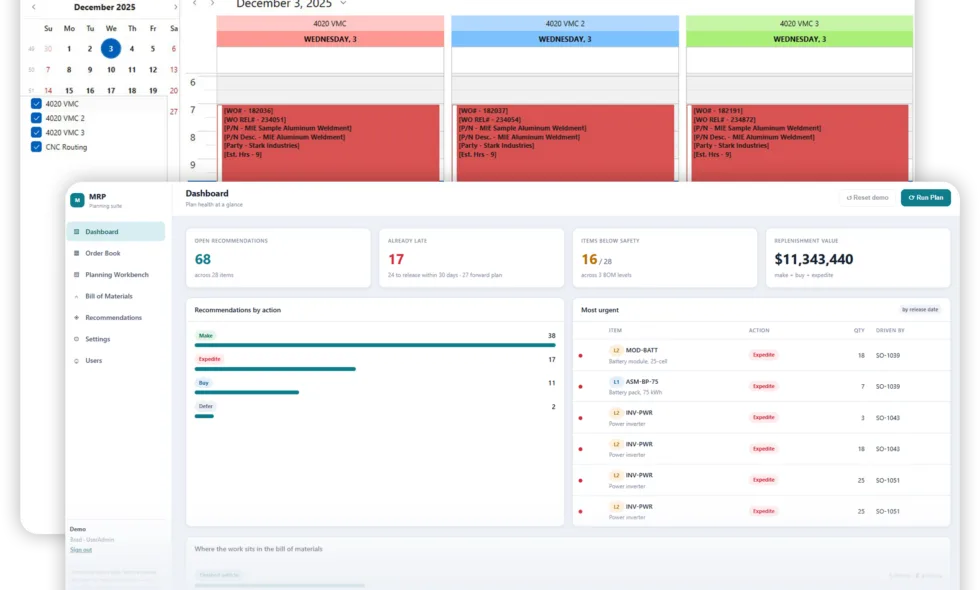
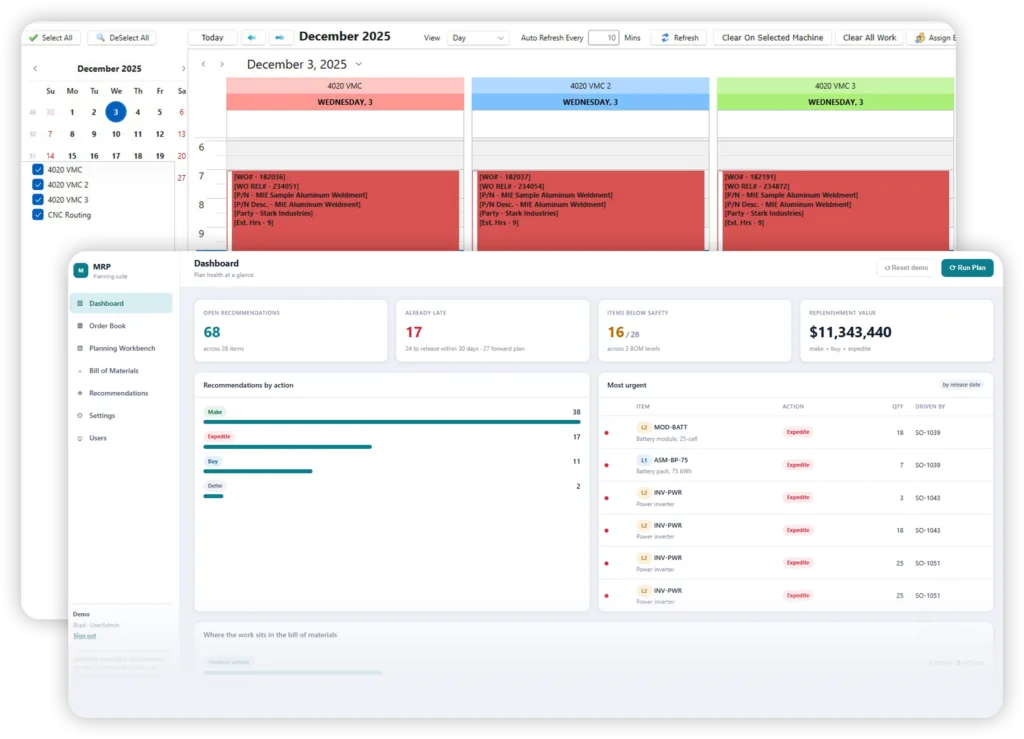
MIE Trak Pro’s Planning Board provides a visual way to review scheduled work and make changes to job, equipment, and employee assignments.
Its drag-and-drop scheduling capabilities allow planners to adjust assignments as priorities or production conditions change.
The Planning Board also provides visibility into active work and projected completion information, helping teams connect their schedule with reported shop floor activity.
Explore the MIE Trak Pro Planning Board.
Evaluate Capacity and Scheduling Alternatives
MIE Trak Pro supports multiple scheduling approaches, including forward finite scheduling, backward infinite scheduling, whiteboard scheduling, and cell scheduling.
Advanced Planning and Scheduling capabilities can help planners evaluate capacity requirements and explore alternative production scenarios.
These tools complement shop floor visibility. Recorded production progress informs the planning process, while scheduling tools help determine how to respond.
See the MIE Trak Pro production scheduling features.
Common Mistakes When Using Real-Time Production Data
Real-time information is only useful when it leads to reliable decisions.
Mistake 1: Assuming that visible means accurate. If employees record completions hours after the work is finished, the displayed status may still be outdated. Establish consistent reporting procedures.
Mistake 2: Rescheduling every time a job changes status. Small variations are normal. Focus on changes that materially affect available capacity, production dependencies, or customer commitments.
Mistake 3: Ignoring the original scheduling assumptions. If an operation regularly takes longer than estimated, investigate the routing or time standards rather than repeatedly adjusting the schedule around the same problem.
Mistake 4: Failing to communicate schedule revisions. Updating a planning board is only part of the process. Operators and supervisors must know which assignments and priorities have changed.
Turn Shop Floor Visibility Into Better Scheduling Decisions
A reliable production schedule must reflect more than the original plan. It needs to account for the progress, disruptions, and changing priorities that occur during everyday manufacturing operations.
When schedulers can compare planned production with current shop floor activity, they have a better foundation for identifying delays, balancing workloads, and protecting customer commitments.
MIE Trak Pro connects manufacturing work orders, shop floor data collection, and scheduling tools to support that process.
Explore MIE Trak Pro’s Production Scheduling Software to see how your team can connect shop floor information with scheduling decisions.
Frequently Asked Questions
Production monitoring shows the current state of manufacturing operations, including job progress and recorded activity. Production scheduling determines when operations should occur and which resources should perform them. Monitoring provides information that helps keep scheduling decisions aligned with actual conditions.
Not necessarily. Shop floor visibility provides updated production information. Whether schedules recalculate automatically depends on the software, scheduling configuration, and workflows being used. Manufacturers should distinguish between seeing a status change and automatically generating a revised production schedule.
The appropriate frequency depends on the production environment. Shops with frequent rush orders, shared bottleneck resources, or unpredictable job durations may need to review schedules several times a day. More stable environments may need fewer changes. The goal is to respond when updated production information materially affects the plan.
It can support better on-time delivery performance by revealing delays and capacity conflicts earlier. However, improvements also depend on accurate planning data, available resources, reliable production execution, and timely management decisions. Visibility gives the team an opportunity to respond; it does not eliminate the underlying constraint.
Useful inputs include work order status, actual start and finish times, remaining operation hours, work center capacity, material readiness, and customer due dates. The most valuable data is information that changes whether an operation can start, when it can finish, or whether a delivery commitment remains achievable.