Market Overview and Growth Trends
Choosing metal fabrication software starts with a practical question: which part of running the shop needs to work better? A fabricator struggling to quote custom assemblies has different requirements from one trying to schedule a crowded laser department, track material remnants, or connect engineering changes to production.
This guide compares 13 ERP, MRP, and shop management platforms for those decisions. It focuses on quoting, job costing, scheduling, inventory, shop-floor reporting, and the connections between business software, CAD, and nesting systems. It is not a ranking of standalone design, cutting, or structural steel detailing software.
The main recommendation: shortlist by workflow, then ask each vendor to demonstrate the same real job. For connected fabrication quoting and production, consider MIE Trak Pro alongside JobBOSS² and Global Shop Solutions. For CAD-driven engineer-to-order work, examine Genius ERP. For a smaller shop introducing structured material planning, review MRPeasy. The profiles below explain the evidence and qualifications behind these starting points.
Publisher disclosure: MIE Solutions develops MIE Trak Pro. These are documentation-based comparisons, not independent hands-on tests of all 13 products. List order is not a universal performance ranking. Product and pricing sources were checked on October 15, 2026; see our comparison methodology.For a deep dive into how BOM complexity impacts metal fabrication workflows, see our resource on Bill of Materials Management.
Metal fabrication software comparison at a glance
| Software | Best-fit workflow | Documented differentiator | Check before buying | Pricing basis |
| MIE Trak Pro | Custom fabrication from quote to actual cost | Fabrication ERP with SigmaNEST and CAD connections | Connector scope and complete job-cost workflow | Request a scoped quote |
| Fulcrum | Cloud-based, high-mix production | Autoscheduling and grouped nesting workflows | Nesting data exchange and accounting handoff | Request a quote |
| JobBOSS² | Make-to-order job shops | Quote-to-job costing and shop-floor tracking | Required quality and integration options | Request a quote |
| Global Shop Solutions | Integrated manufacturing with CAD and nesting | Documented two-way nesting interfaces | Supported versions and licensed interfaces | Request a quote |
| SYSPRO | Broad manufacturing and materials control | Fabrication planning, costing, and traceability | Exact modules and partner integrations | Request a quote |
| Genius ERP | CAD-driven engineer-to-order work | CAD2BOM and engineering-to-production handoff | Revision handling and phased BOM release | Request a quote |
| Oracle NetSuite | Production tied to broader business management | Work orders, product data, and location tracking | Manufacturing modules and fabrication-specific fit | Platform, modules, and users |
| Acumatica | Mixed-mode manufacturing with broad user access | Manufacturing ERP without per-seat licensing | Application scope and usage-based costs | Applications, resources, and deployment |
| Odoo | Configurable, modular business workflows | Manufacturing connected to a wider app suite | API, custom code, and implementation ownership | Per-user plans; introductory offers vary |
| MRPeasy | Structured production and material planning | MRP, scheduling, and lot traceability | Edition-specific features and stock handling | Starter from $49/user/month |
| Fishbowl | Manufacturing alongside QuickBooks | Manufacturing inventory, BOMs, and work orders | Manufacturing plan, not inventory-only pricing | Advanced Manufacturing from $675/month |
| ERPAG | Smaller teams combining inventory and production | Manufacturing and inventory in published plans | API tier and fabrication workflow depth | From $99/month after promotion; 5 users |
| Katana | Inventory-led production and multichannel sales | Inventory and manufacturing in a cloud platform | Job complexity and plan limits | Custom Advantage quote; limited free plan |
Pricing note: Published dollar amounts are USD and are entry points, not comparable total project costs. Billing terms, user requirements, applications, implementation, and integrations can change the total. Verify the linked vendor pricing before budgeting.
Which Metal Fabrication Software Should You Choose Based on Your Shop’s Biggest Challenge?
The best metal fabrication software depends on the problems your shop needs to solve. A custom fabricator struggling with inaccurate estimates may need different capabilities than a shop dealing with constant schedule changes, poor work-order visibility, or complicated CAD and nesting workflows.
Rather than choosing an ERP based on the longest feature list, identify your biggest operational challenge and compare the platforms that are designed to address it.
What Is the Best Metal Fabrication Software for Quoting and Estimating?
Best options to evaluate: MIE Trak Pro, JobBOSS², and Fulcrum.
For custom metal fabrication shops, quoting software should do more than calculate an initial selling price. It should account for material, labor, machine time, setup costs, outside processing, and overhead. Ideally, those estimates should connect to production records so future quotes can be informed by actual job costs.
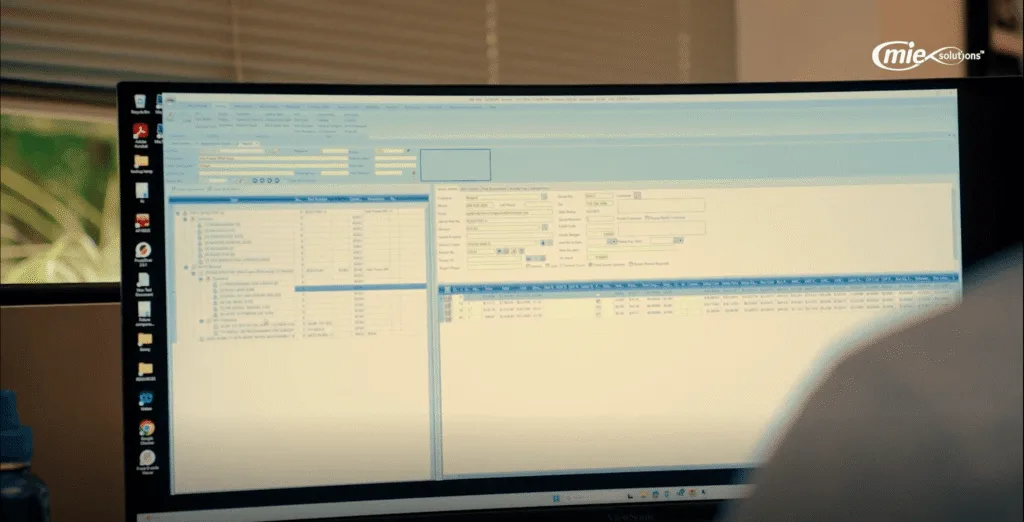
MIE Trak Pro is a strong candidate for fabricators that want quoting integrated with work orders, purchasing, scheduling, and job costing. This makes it particularly relevant for shops producing custom parts or repeat jobs where profitability depends on comparing estimated and actual costs.
JobBOSS² is another option for make-to-order manufacturers that need estimating, order management, and job costing within a shop management system. Fulcrum is worth evaluating for high-mix shops interested in connected quoting, historical production data, and drawing-to-BOM workflows.
What to verify before buying: Ask each vendor to quote the same custom assembly, convert the accepted estimate into a work order, and show how actual material and labor costs feed back into the next quote.
Which Production Scheduling Software Is Best for Metal Fabrication Shops?
Best options to evaluate: Fulcrum, MIE Trak Pro, and MRPeasy.
Production scheduling becomes difficult when multiple jobs compete for the same machines, employees, and materials. The right software should help planners understand available capacity, manage changing priorities, and evaluate the impact of delays.
Fulcrum is worth considering for shops prioritizing automated scheduling and quick adjustments to changing production requirements. Its Autoschedule functionality is designed around dynamic manufacturing environments.
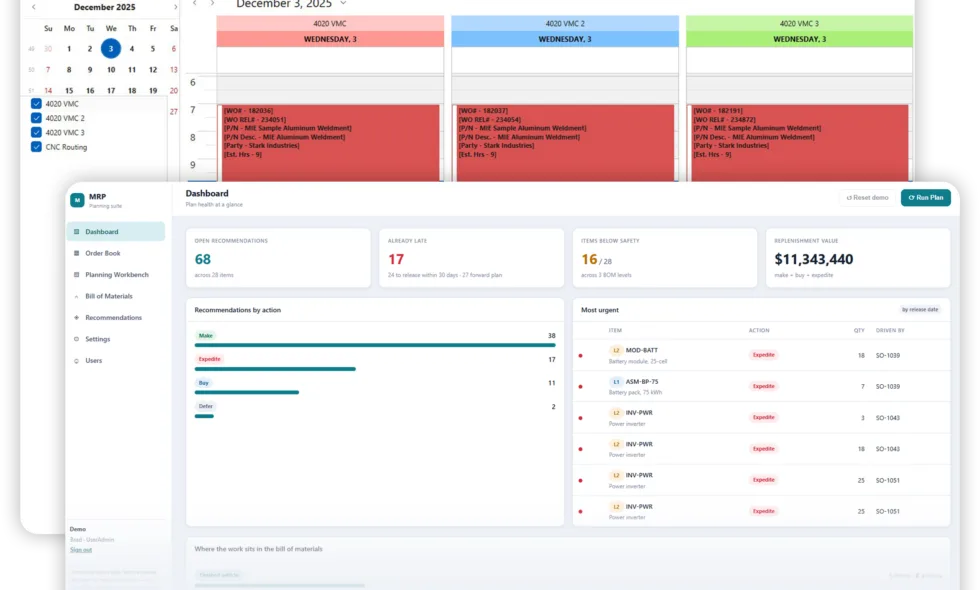
MIE Trak Pro is a strong option when production scheduling needs to remain connected to the broader ERP. Its documented scheduling capabilities include forward finite and backward infinite scheduling, supporting planning decisions based on production requirements and capacity assumptions.
MRPeasy may be more appropriate for smaller manufacturers that need structured production scheduling, material requirements planning, and order visibility without immediately pursuing a broader implementation.
What to verify before buying: Add a rush order to an already loaded schedule, delay a required material, and ask the vendor to demonstrate how the system responds. Confirm whether machine capacity, labor availability, operation dependencies, and material constraints are actually considered.
What Software Is Best for Real-Time Work-Order and Shop-Floor Tracking?
Best options to evaluate: MIE Trak Pro, Fulcrum, and JobBOSS².
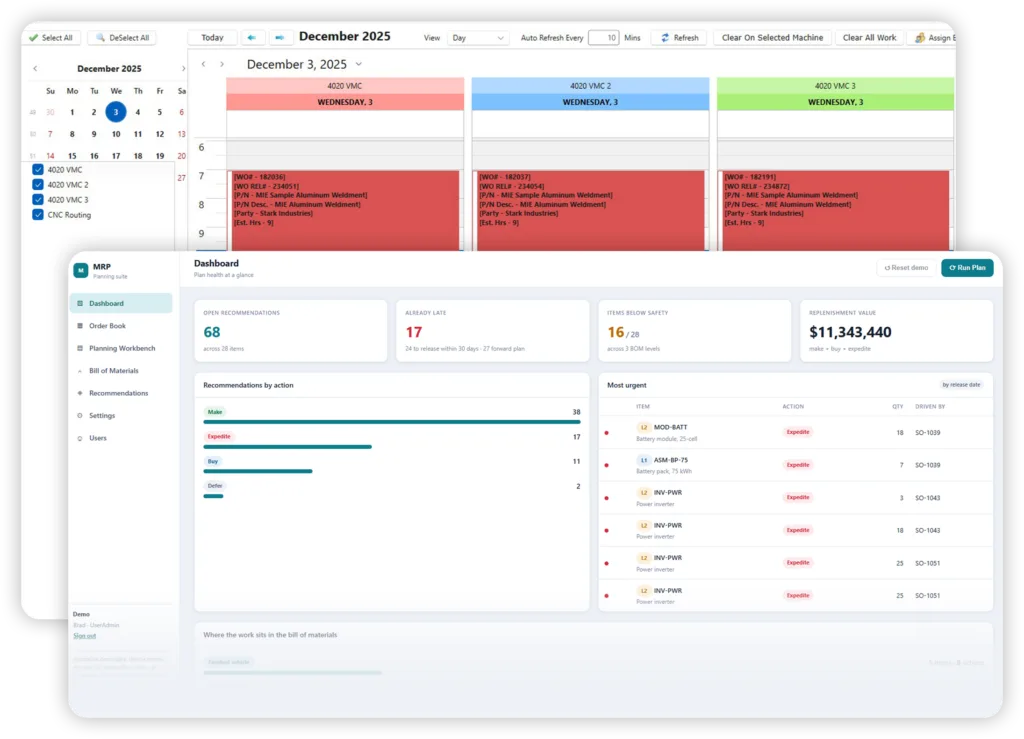
Metal fabrication shops frequently struggle to determine which jobs are in progress, which operations are complete, and where production delays are occurring. Shop-floor tracking software addresses these challenges by connecting production activity to work-order records.
MIE Trak Pro is a strong fit for shops that want operators to record production activity through its shop-floor Kiosk while keeping labor, material usage, work-order progress, and job costs connected within ERP.
Fulcrum is an alternative for manufacturers emphasizing live production visibility, digital work instructions, and job tracking. JobBOSS² also provides shop-floor management and production reporting capabilities for custom manufacturing environments.
For any of these systems, the most important distinction is not simply whether employees can record production activity. It is whether that information reaches the people responsible for scheduling, purchasing, estimating, and customer delivery commitments.
What to verify before buying: Have an operator start a job, report partial completion, record scrap, and identify a delay. Then ask the vendor to show what the production manager and estimator can see without manually updating a spreadsheet.
Which Metal Fabrication ERP Has the Best CAD and Nesting Integration?
Best options to evaluate: Genius ERP, Global Shop Solutions, and MIE Trak Pro.
CAD and nesting integration requirements vary considerably across fabrication shops. Some manufacturers need engineering drawings and bills of materials transferred into ERP. Others need cutting programs, material consumption, and remnant inventory to remain connected to production orders.
Genius ERP deserves consideration for engineer-to-order manufacturers where CAD-driven assemblies, engineering revisions, and BOM management are major requirements. Its CAD2BOM capabilities focus on connecting engineering data with manufacturing records.
Global Shop Solutions is worth evaluating when a shop needs documented interfaces with multiple nesting platforms. The vendor describes integrations with systems including SigmaNEST, TRUMPF, ProNest, and Bystronic.
MIE Trak Pro is particularly relevant for fabricators using SigmaNEST. Its documented SigmaNEST integration supports transferring released work-order information to the nesting system and returning cutting-time estimates and material-consumption data to ERP. This is an integration between two products, not a claim that MIE Trak Pro includes a native nesting engine.
What to verify before buying: Confirm compatibility with your specific CAD and nesting software versions. Have the vendor demonstrate a drawing revision, a multi-job nest, and how cutting activity and material usage return to the correct work orders.
What Software Is Best for Material Inventory and Remnant Tracking?
Best options to evaluate: MIE Trak Pro, Fulcrum, MRPeasy, and Fishbowl.
Metal fabricators have inventory requirements that differ from many other manufacturers. Managing sheet dimensions, material grades, cut lengths, remnants, and job-specific allocations can be difficult when inventory software only tracks quantities by item number.
MIE Trak Pro is worth evaluating for shops that need inventory, purchasing, and material consumption integrated with fabrication work orders. Its documented capabilities include remnant inventory management, and its SigmaNEST interface provides a connection between nesting activity and material records.
Fulcrum also addresses sheet metal inventory workflows, including visibility into material drops and consumption. MRPeasy is an option for smaller manufacturers that prioritize material requirements planning and general inventory control, although fabrication-specific stock handling should be demonstrated.
Fishbowl may appeal to manufacturers that want stronger inventory and manufacturing controls while retaining QuickBooks as their accounting system.
What to verify before buying: Receive a sheet of metal, allocate part of it to a job, record the usable remainder, and assign that remnant to another job. Confirm that the resulting inventory quantities and costs remain accurate.
What Is the Best Affordable ERP Software for a Small Metal Fabrication Shop?
Best options to evaluate: MRPeasy, ERPAG, and Odoo. Compare MIE Trak Pro when fabrication-specific requirements justify a broader ERP investment.
Smaller fabrication shops often need better control over quoting, inventory, and production without taking on unnecessary implementation complexity.
MRPeasy offers published subscription pricing and a combination of manufacturing planning, inventory, and purchasing capabilities. It is a reasonable starting point for small shops moving away from spreadsheets.
ERPAG is another option for smaller teams seeking inventory management, manufacturing orders, and purchasing within a subscription-based system.
Odoo offers a modular approach that can appeal to budget-conscious manufacturers, particularly when a business has the technical resources or implementation support to configure its required workflows. However, customization, integrations, and maintenance can increase the total cost.
MIE Trak Pro should remain on the shortlist when a smaller fabrication shop needs connected quoting, scheduling, work orders, remnant tracking, and actual job costing. A broader ERP may be justified if separate systems and manual handoffs are already creating operational costs.
What to verify before buying: Compare the full three-year cost, including licenses or subscriptions, implementation, training, integrations, support, and the internal time required to maintain the system. Published entry-level prices do not necessarily reflect the cost of a complete fabrication workflow.
How Should Metal Fabricators Make the Final Software Decision?
Start by identifying the operational problem creating the greatest cost, delay, or uncertainty in your shop. Then shortlist two or three platforms with documented capabilities that directly address that issue.
For shops evaluating comprehensive fabrication ERP, MIE Trak Pro, JobBOSS², Fulcrum, and Global Shop Solutions are useful starting points, depending on the required workflows. Smaller manufacturers with simpler requirements may find MRPeasy or ERPAG worth evaluating, while CAD-intensive engineer-to-order operations should consider Genius ERP.
No single platform is the best fit for every metal fabrication business. The strongest choice is the one that can demonstrate your actual quoting, scheduling, inventory, and production workflows while providing a realistic implementation plan and clearly defined total cost.
Six workflows to test before choosing fabrication ERP
1. Quoting and estimated-versus-actual job costs
Bring a recent estimate with material, setup, run time, outside processing, and overhead. Ask the vendor to convert it into an order, capture actual costs, and show the variance by operation. Then reuse the job for a repeat quote. For help preparing consistent inputs, see our job shop estimating guide.
2. Sheet, bar, and remnant inventory
Demonstrate the stock you actually buy: dimensions, grade, thickness, heat or lot, and storage location. Cut part of a sheet or bar, identify the usable remainder, and allocate it to another job. Ask which system holds the authoritative stock record and how the other systems receive updates.
3. CAD, BOMs, and nesting connections
Import a representative assembly and change its revision. Then send work to the nesting system and review what returns. Distinguish a file import, an API connection, and a bidirectional production interface. Require the vendor to identify supported software versions, exchanged fields, update timing, and exception handling.
4. Scheduling and capacity planning
Load competing jobs onto the same constrained machine. Add a rush order, a material delay, and an outside finishing operation. Ask whether the promised date reflects machine availability, labor, materials, and operation dependencies. A drag-and-drop board alone does not demonstrate that those constraints have been modeled.
5. Shop-floor job tracking
Have an operator find the current drawing, start an operation, record partial completion, issue material, and report scrap. Then check what the planner and estimator can see. Include shared terminals, barcodes, and normal interruptions in the test rather than evaluating only the office interface.
6. Traceability and quality records
Trace a shipped part back to its material record, drawing revision, inspection, and outside supplier. Ask your quality lead to assess the resulting documentation against your actual requirements. Review how a non-conformance report connects to the affected job and corrective action. Do not treat a quality-module label as proof that every required record is covered.
1. MIE Trak Pro: one quote-to-cash connected erp solution
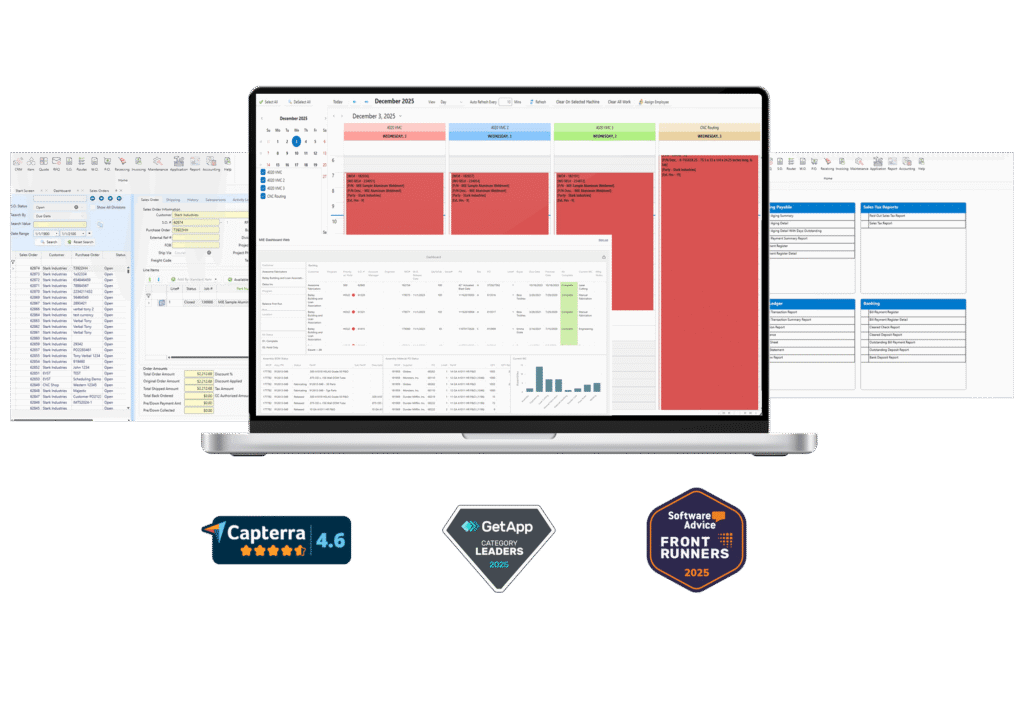
Best for: Custom and repeat-order fabricators that want quoting, scheduling, purchasing, inventory, shop-floor reporting, quality, and accounting connected within a manufacturing ERP.
MIE Trak Pro documents forward finite and backward infinite scheduling, material and labor tracking, remnant inventory, and a shop-floor Kiosk. Its CAD Converter and SolidWorks BOM Importer support engineering-data entry; integrations with third-party systems remain distinct from the ERP’s built-in functions.
The documented SigmaNEST interface sends released work-order information from MIE to SigmaNEST and brings nesting estimates and material-consumption information back. Completion activity in MIE can update the order in SigmaNEST and trigger consumption and remnant creation there. Confirm where each inventory record is maintained rather than assuming every remnant field synchronizes both ways.
Trade-off to evaluate: A connected ERP is a broader project than adding a scheduling board or replacing only a CAD tool. Define the required modules, connector licenses, accounting approach, and responsibility for maintaining the interfaces.
Pricing and deployment: Request a quote for your users and scope. MIE offers AWS cloud hosting; confirm the hosting arrangement, services, and any local-infrastructure requirements in the proposal.
Demo question: Can you take our drawing through a quote, nested work order, material issue, labor entry, outside processing, and actual-cost review without an uncontrolled spreadsheet handoff?
2. Fulcrum: cloud-based scheduling and high-mix production
Best fit: Fabricators prioritizing production scheduling, digital work instructions, and visibility across changing jobs.
Fulcrum describes automated scheduling, grouped work orders, shop-floor reporting, and live job costing. Its fabrication workflows connect nesting-related material and time information to quotes and production. A documented PDF-import workflow reads nesting output; grouped work can allocate costs back to individual parts.
Trade-off to evaluate: Importing nesting results is not the same thing as a two-way machine or nesting-system interface. Demonstrate the exact connection your shop needs and how material changes reach costing. Fulcrum documents a QuickBooks Online integration; define which system owns the financial records and how exceptions are reconciled.
Pricing and deployment: Cloud-based; request a scoped quote rather than relying on an unverified per-user estimate.
Demo question: When an operator reports a delay or revised material usage, how do the schedule, affected jobs, and estimated margin change?
Sources: Fulcrum for sheet metal fabrication; nesting workflows; QuickBooks Online integration.
3. JobBOSS²: make-to-order job management
Best fit: Job shops that want estimates, orders, purchasing, scheduling, and actual job costs connected around custom work.
ECI positions JobBOSS² for high-mix, low-volume manufacturing. Its documented functions include quoting, job costing, inventory, and shop-floor tracking. ECI also offers an AI BOM Builder for extracting BOM information from documents and an advanced quality option through uniPoint.
Trade-off to evaluate: Establish which features are part of the quoted configuration. Document extraction should be reviewed for accuracy and does not, by itself, establish revision-controlled CAD integration. Ask separately about the nesting connection, quality requirements, and accounting workflow.
Pricing and deployment: Request a quote. ECI lists multi-tenant SaaS, private hosted cloud, and on-premise deployment for the U.S. market; confirm availability and terms for your location.
Demo question: Can the estimator see material, labor, and purchased-service variances on a partially completed job, then use those actuals in the next estimate?
Sources: JobBOSS² product and deployment information; AI BOM Builder; advanced quality option.
4. Global Shop Solutions: manufacturing with CAD and nesting interfaces
Best fit: Fabricators evaluating an integrated manufacturing system where engineering and nesting data must connect to shop operations.
Global Shop Solutions documents two-way nesting interfaces with SigmaNEST, Ncell, TRUMPF, ProNest, and Bystronic. Its interface description covers material estimates, scrap, remnants, and work across multiple jobs. The separate CAD interface supports BOM exchange with SOLIDWORKS, Solid Edge, and Autodesk Inventor.
Trade-off to evaluate: A listed interface does not establish compatibility with every version or configuration. Specify the CAD and nesting products you run, the fields that must travel in each direction, and how updates affect inventory and job costs. Include interface licensing and implementation in the quote.
Pricing and deployment: Request a scoped quote. The vendor offers cloud and on-premise ERP options.
Demo question: Can one nest containing parts from several jobs return material usage, cutting time, scrap, and usable drops to the correct records?
Sources: nesting interface; CAD interface; cloud ERP; on-premise ERP.
5. SYSPRO: broad manufacturing and materials control
Best fit: Fabricators evaluating production, inventory, purchasing, and financial requirements together, particularly when operations involve multiple processes or facilities.
SYSPRO’s metal fabrication offering describes CAD-connected estimating, production planning, finite scheduling, job costing, and material traceability. Its manufacturing tools also address shop-floor data collection and visibility into production performance.
Trade-off to evaluate: Map each requirement to the actual SYSPRO module or partner product in the proposal. A broad industry solution description is not a complete implementation specification. Ask which component handles nesting, dimensional stock, engineering changes, and the financial treatment of outside services.
Pricing and deployment: Request a quote. SYSPRO describes cloud, on-premise, and hybrid options; assess the offered configuration rather than assuming every deployment has identical operating requirements.
Demo question: Can planners identify a material or capacity constraint and trace its effect through the job, customer commitment, and cost record?
Sources: SYSPRO for metal fabrication; SYSPRO web interface and deployment options.
6. Genius ERP: CAD-driven engineer-to-order manufacturing
Best fit: Custom equipment and engineer-to-order manufacturers where changing assemblies, purchased components, and engineering releases drive production.
Genius ERP’s CAD2BOM connects engineering data to ERP records. Its documentation describes multi-level BOMs, routing information, comparison and merging of changes, and progressive release so purchasing or production can begin before an entire design is finished. Supported CAD applications include SOLIDWORKS and Autodesk Inventor.
Trade-off to evaluate: The value of this approach depends on your engineering workflow. A shop processing mostly straightforward repeat parts should test whether it needs the same engineering depth. For complex work, focus on version compatibility, approval controls, and what happens to already purchased or released components after a revision.
Pricing and deployment: Request a scoped quote. Cloud deployment is available; confirm the proposed environment and services with Genius.
Demo question: Can you release long-lead components, revise an assembly, and clearly show what changed without overwriting the history of work already underway?
Sources: Genius CAD2BOM; cloud ERP.
7. Oracle NetSuite: manufacturing within a broader business system
Best fit: Manufacturers evaluating production alongside wider financial, inventory, and organizational requirements.
NetSuite documents work-order management, shop-floor control, location-based inventory movements, and lot tracking. Its product-data tools cover BOMs, routings, revisions, and engineering changes. Manufacturing scope depends on the selected applications: Work Orders and Assemblies, WIP and Routings, and Advanced Manufacturing are not interchangeable labels.
Trade-off to evaluate: Test the fabrication-specific details rather than assuming broad ERP coverage resolves them. Use your own sheet or bar inventory, outside processing, nesting output, and mixed-job material allocation. Identify any additional application or partner development required.
Pricing and deployment: Cloud-based. NetSuite describes annual licensing built from its platform, optional modules, and users, with implementation separate. Obtain a configuration-specific proposal.
Demo question: Can operations and finance reconcile a fabricated assembly’s material, labor, and work-in-process costs across the locations involved?
Sources: work-order management and licensing; product-data management.
8. Acumatica: mixed-mode manufacturing and broad user access
Best fit: Fabricators connecting production and financial management while giving more office, warehouse, and shop-floor employees access to shared information.
Acumatica’s Manufacturing Edition covers BOMs, routings, production, costing, and planning for multiple manufacturing modes. Its pricing model is not based on charging for each user: applications, expected usage and computing resources, and deployment affect the proposal.
Trade-off to evaluate: Unlimited users do not mean unlimited cost-free growth. Model transaction volume and resource needs, and identify which manufacturing, planning, warehouse, and integration components are included. Test how the chosen configuration handles remnant stock and the handoff from engineering.
Pricing and deployment: Cloud ERP with configuration-dependent pricing. Request a quote based on applications, expected usage, and deployment, not an assumed per-seat calculation.
Demo question: Can the proposed configuration show estimated-versus-actual production costs and capacity changes while supporting the roles and access your shop requires?
Sources: Manufacturing Edition; Acumatica pricing model.
9. Odoo: configurable manufacturing and business applications
Best fit: Shops willing to configure a modular system and assign clear ownership for implementation, integrations, and ongoing changes.
Odoo connects manufacturing with inventory, purchasing, sales, accounting, and other applications. Its manufacturing tools include BOMs, work orders, work-center planning, quality checks, and production costing.
Trade-off to evaluate: Evaluate the complete setup, not just the subscription. External API access and custom deployment requirements affect plan selection. Test dimensional stock, remnants, nesting connections, and engineering changes in the configured system. Budget for maintaining any custom modules.
Pricing and deployment: The U.S.-dollar annual-billing page displays Standard at $24.90/user/month for the introductory period, against $31.10 list pricing, and Custom at $49 against $61. The discount applies to the initial 12 months for initially ordered users. Standard uses Odoo Online; Custom also permits Odoo.sh or on-premise deployment. Odoo.sh hosting is additional. Verify current region and billing terms.
Demo question: Which required fabrication workflows run in standard applications, and which depend on custom code or third-party modules?
Sources: Odoo manufacturing features; plans, pricing, and hosting terms.
10. MRPeasy: structured material planning for smaller manufacturers
Best fit: Smaller manufacturers moving from spreadsheets to consistent BOMs, material planning, production scheduling, and order tracking.
MRPeasy combines production planning and reporting with inventory, purchasing, lot traceability, and shop-floor kiosk reporting. Its published plans make it possible to start the commercial comparison before a sales-led scoping exercise.
Trade-off to evaluate: Compare editions against requirements rather than selecting on the entry price. Demonstrate the actual sheets, lengths, remnants, outside operations, and accounting handoffs your shop uses. A general manufacturing workflow still needs to prove that it fits your fabrication process.
Pricing and deployment: Cloud-based. Published prices are $49, $69, $99, and $149 per user per month for Starter, Professional, Enterprise, and Unlimited. The vendor applies a different additional-user structure beyond the first ten users; use its current pricing rules for your team size.
Demo question: Can the selected edition turn an accepted order into realistic material requirements and a production schedule without rebuilding the plan in spreadsheets?
Source: MRPeasy plans, features, and pricing.
11. Fishbowl: manufacturing inventory alongside QuickBooks
Best fit: Manufacturers that want inventory and production control while continuing to use QuickBooks for accounting.
Fishbowl’s manufacturing offering includes BOMs, work orders, material requirements planning, and made-to-order production. That scope is different from an inventory-only subscription.
Trade-off to evaluate: Compare the manufacturing configuration your shop needs, not the lowest price displayed anywhere on Fishbowl’s site. Demonstrate work-center scheduling, fabrication material handling, nesting data exchange, and the accounting handoff before deciding whether it covers your operating model.
Pricing and deployment: Fishbowl lists Advanced Manufacturing from $675 per month, with the final amount depending on users and deployment. Its pricing page describes cloud-hosted and self-managed options. Lower-priced inventory plans should not be presented as equivalent manufacturing ERP packages.
Demo question: Can a completed fabrication job reconcile material usage, production cost, inventory value, and the records sent to QuickBooks?
Source: Fishbowl plans, manufacturing scope, and pricing.
12. ERPAG: inventory and production for smaller teams
Best fit: Smaller teams seeking purchasing, sales, inventory, and manufacturing in a cloud system with published subscription pricing.
ERPAG describes multi-level BOMs, manufacturing orders, material planning, and production tracking. Its pricing page includes manufacturing management across its plans, but API access, automation, and customization differ by tier.
Trade-off to evaluate: Run a fabrication-specific trial rather than assuming a general manufacturing feature list covers dimensional material, remnant reuse, or complex scheduling. Confirm which accounting integration and API permissions are available in the intended plan.
Pricing and deployment: Cloud-based. Basic starts at $99 per month after the introductory promotion, with five users included and additional users listed at $9 per month. Advanced, which includes Smart API access, is listed at $199 per month after the promotion.
Demo question: Can the proposed tier retain material identity and accurate costs when a job is partially completed and the remaining stock is reassigned?
Sources: ERPAG manufacturing; plans and pricing.
13. Katana: inventory-led manufacturing and multichannel sales
Best fit: Product-oriented manufacturers that need production and inventory visibility alongside sales through several channels.
Katana combines inventory and manufacturing in a cloud platform. Its current paid offering is the Advantage plan, priced through a custom annual agreement. It also offers a free plan with limits, including a 30-SKU ceiling.
Trade-off to evaluate: Start with production complexity, not the appeal of a free plan. Demonstrate your routing, outside services, nesting outputs, material allocation, and drawing revisions. Confirm which integrations and features are included in the actual proposal; the free and paid offers are not interchangeable.
Pricing and deployment: Cloud-based. Request an Advantage quote or review the current free-plan limits. Review the current pricing page for the features, integration limits, and contract terms that apply to your configuration.
Demo question: Can the system connect an order to purchased material, production activity, actual cost, and finished inventory when the job does not follow a simple repeatable assembly?
Source: Katana’s current plans, scope, and pricing.
A fabrication example from a published customer account
In MIE’s Metro Metal Works case study, the precision sheet metal and welding business describes moving away from spreadsheet-based information, reducing duplicate entry and manual job tracking, and saving time on repeat orders.
This is a vendor-published customer account, not a controlled comparison or a promised outcome for another shop. Its useful evaluation question is specific: can your team find a prior job and reuse the appropriate information while checking current material costs, drawings, and routing requirements?
Use one real job to test the quote-to-cost workflow
Illustrative example: The figures below are hypothetical. They are not Metro Metal Works results, a measured MIE implementation outcome, or an ROI forecast.
Suppose a shop quotes 500 stainless steel brackets at a selling price of $15,000. Estimated job cost is $10,500, producing a target gross margin of 30%. The routing includes cutting, forming, welding, outside finishing, and inspection.
During each vendor demo, follow the same job through five checkpoints:
- Estimate: Identify material, setup, run time, finishing, and overhead assumptions.
- Release: Move the accepted quote into the required BOM, routing, work order, and purchasing records.
- Schedule and nest: Allocate the constrained work centers and show how nesting information affects material requirements.
- Record production: Capture actual labor, material, scrap, outside-service charges, and partial completion.
- Review and requote: Explain the differences from the estimate and show what the estimator can reuse next time.
If actual cost reaches $11,200, the job is $700 over its estimate. Gross profit remains $3,800, but margin falls to about 25.3%, a decline of 4.7 percentage points. The job is still profitable on this basis; the issue is lower-than-planned margin, not a loss.
Ask the vendor to locate that $700 variance without manually rebuilding the job in a spreadsheet. For MIE Trak Pro, request a demonstration of the documented quoting, work-order, Kiosk, and job-costing functions using your own example rather than assuming the scenario proves a result.
Compare ownership cost on the same basis
A per-user subscription, an unlimited-user proposal, and an inventory-only plan are different commercial starting points. Put the shortlisted configurations on the same basis before comparing them.
For a practical three-year comparison, ask each vendor to price the same office and shop-floor roles, sites, required applications, and transaction assumptions. Include subscription or license and hosting costs, implementation and data migration, connectors, training, support, and any expected customization maintenance. Add your own internal project time separately.
Require the proposal to distinguish one-time fees, recurring charges, promotional rates, renewal rates, and optional work. Record what is excluded and who maintains each integration. A lower subscription can still involve more implementation work; a higher-priced configuration may include functions that another quote leaves out. The proposal, not a generic cost estimate, should establish that difference.
Also request an implementation plan with named responsibilities, data-cleanup requirements, test milestones, training, and go-live acceptance criteria. Do not choose a platform based on an unsourced promise that every shop can implement it in the same number of weeks.ilities.
Summary Table: Quick Comparison of Top Solutions
| Software | Best For | Pricing Model | Key Strength |
|---|---|---|---|
| MIE Trak Pro | Small to mid-sized custom fabricators | Subscription, custom pricing | Flexible deployment, personalized support |
| Fulcrum | High-mix, low-volume job shops | Monthly subscription | Live scheduling focus |
| JobBOSS² | Job shops, metal fabricators | License + maintenance | Comprehensive BOM management |
| NetSuite | Mid-sized companies with multiple sites | Subscription + implementation fees | End-to-end scalable ERP |
| Odoo | Cost-conscious fabricators | Tiered subscription | Modular, open-source platform |
How this comparison was prepared
This guide is a documentation-based shortlist, prepared with AI-assisted research. Official product descriptions, integration documentation, and pricing pages were checked on October 15, 2026. The links identify the basis for product-specific claims. The Metro Metal Works example is a separately attributed, vendor-published case study.
Fit recommendations are editorial judgments about the workflows described, not measured performance scores. This guide does not report comparative hands-on tests or independently measured vendor outcomes. ROI, training hours, implementation periods, and support response times are not presented as standardized benchmarks.
The comparison distinguishes documented features from questions that remain for a demo or proposal. An item that is not verified here should not be interpreted as a feature the vendor cannot provide. Confirm current capabilities, pricing, contract terms, and configuration with each vendor before purchase.
Build a shortlist around the work your shop actually does
Select two or three candidates that match your highest-priority requirements, then give each the same drawing, estimate, routing, and production constraints. The strongest choice is the one that demonstrates the needed workflow and offers a credible implementation plan at an understood total cost.
For a closer look at MIE’s approach, explore MIE Trak Pro for metal fabrication. Bring a representative job to a MIE Trak Pro product demonstration. Review quoting, scheduling, material tracking, outside processing, and actual job costs together to determine whether the system fits your shop.