Key Takeaways
The right ERP for your machine shop isn’t just a matter of price; it’s a matter of fit. Generic platforms built for other industries will require heavy customization to match job shop workflows, and that customization comes at a cost.
Here’s what this guide will help you understand:
- Machine shop ERPs differ fundamentally from generic systems by offering native job tracking, real-time shop floor monitoring, BOM revision control, and CAD/CAM integration built specifically for custom manufacturing workflows.
- Calculate 5-year total cost of ownership, not just license fees. Implementation typically runs $25K–$400K, with professional services consuming 40–60% of spend, and hidden costs lurking in customization and integrations.
- Prioritize vendor demos using your actual data complexity and call 3–5 reference customers who’ve been live 12+ months to understand real-world performance beyond what any sales team will tell you.
- Cloud-based solutions deliver 30–50% lower TCO over five years, with 3–6 month implementations versus 12+ months for on-premise systems.
- Invest properly in role-based training during company time. User adoption determines success or failure. Even powerful systems fall flat when employees find them too complex to use day-to-day.
A successful ERP implementation and a costly failure often come down to one thing: choosing a system built for manufacturing realities, not one that forces your shop floor to adapt to software designed for someone else’s business.
So, where do you start? With 20+ systems on the market, with prices ranging from $5K to $40,000K and per-user costs spanning $50 to $1,500 monthly. The options can feel paralyzing.
Which system will actually fit your workflow? Should you prioritize job tracking, AS9100 compliance, or CAD/CAM integration?
This guide cuts through the noise. You’ll learn what separates machine shop ERP software from general-purpose platforms, the key factors worth evaluating, and a step-by-step process to make the right choice without the costly mistakes that drain budgets and delay results.
Which approach is right for your shop? Read on and find out.
Understanding ERP Systems for Machine Shops
What Makes Machine Shop ERP Different from General ERP
No two jobs in a machine shop follow the same path. Material availability shifts, deadlines move, and capacity constraints force daily decisions that a generic ERP system simply wasn’t built to handle. Platforms designed for retail or distribution lack the context for one-off builds, variable customer demands, and constantly evolving workflows.
Manufacturing ERP addresses those realities head-on by connecting directly with shop floor machines, supporting strong inventory controls, and delivering quality management features that generic systems can’t match. A general-purpose system might offer some baseline functionality, but without the manufacturing context baked in, it becomes harder to use and easier to outgrow. Configuring a generic system to behave like a manufacturing one isn’t the same as choosing a system built for it from day one.
Core Functions Every Machine Shop ERP Should Have
What does real job tracking actually look like? It goes well beyond a status bar on a screen. A purpose-built machine shop ERP software captures:
- Actual labor time logged per operation
- Materials picked and issued per order
- In-process work status and location
- Operator activity with shop floor timestamps
- Routing steps with notes and change history, including revision-level updates
Without this level of detail tracked in real time, managing capacity and spotting job health issues before they become costly problems is difficult.
BOM and revision control must manage multi-level BOMs, handle document management for drawings, and push real-time updates from engineering directly to the shop floor. Job quoting needs to tie directly to job costing. Build quotes using estimated labor and materials, then track actuals so you always have clear margin visibility.
Integrated MRP and purchasing keep job demand aligned with part availability and vendor lead times. Work order tracking brings status, progress, labor, and materials into one place, so the shop always knows what to work on next.
Cloud vs. On-Premise: Which Deployment Is Right for Your Shop?
This is one of the most practical decisions you’ll make during the selection process. Both options have real-world trade-offs worth understanding.
Cloud ERP solutions run on vendor-managed servers accessed through the internet, removing the need for significant on-site hardware investments. The cost advantages are meaningful. Organizations implementing cloud-based ERP report savings of up to 40% compared to traditional on-premise deployments, with total cost of ownership reductions of 30-50% over five years. It’s no surprise that 93% of businesses choosing cloud cite lower entry costs as the primary driver.
On-premise ERP systems, on the other hand, run on servers you own and maintain within your facility. That comes with complete infrastructure control, which is valuable for highly regulated industries, large-scale manufacturers with complex shop floor integrations, or businesses that require specialized technology environments.
The timeline difference alone is significant: cloud deployments typically wrap up within 3-6 months, while on-premise implementations often stretch well beyond 12 months. For most machine shops, that’s a gap worth taking seriously.
Key Factors to Consider When Choosing ERP Software for Machine Shops
Job Tracking and Shop Floor Management
Surface-level job status isn’t enough. Knowing a job is “in progress” tells you nothing about whether it will ship on time, where labor hours are going, or whether a bottleneck is forming at a specific work center.
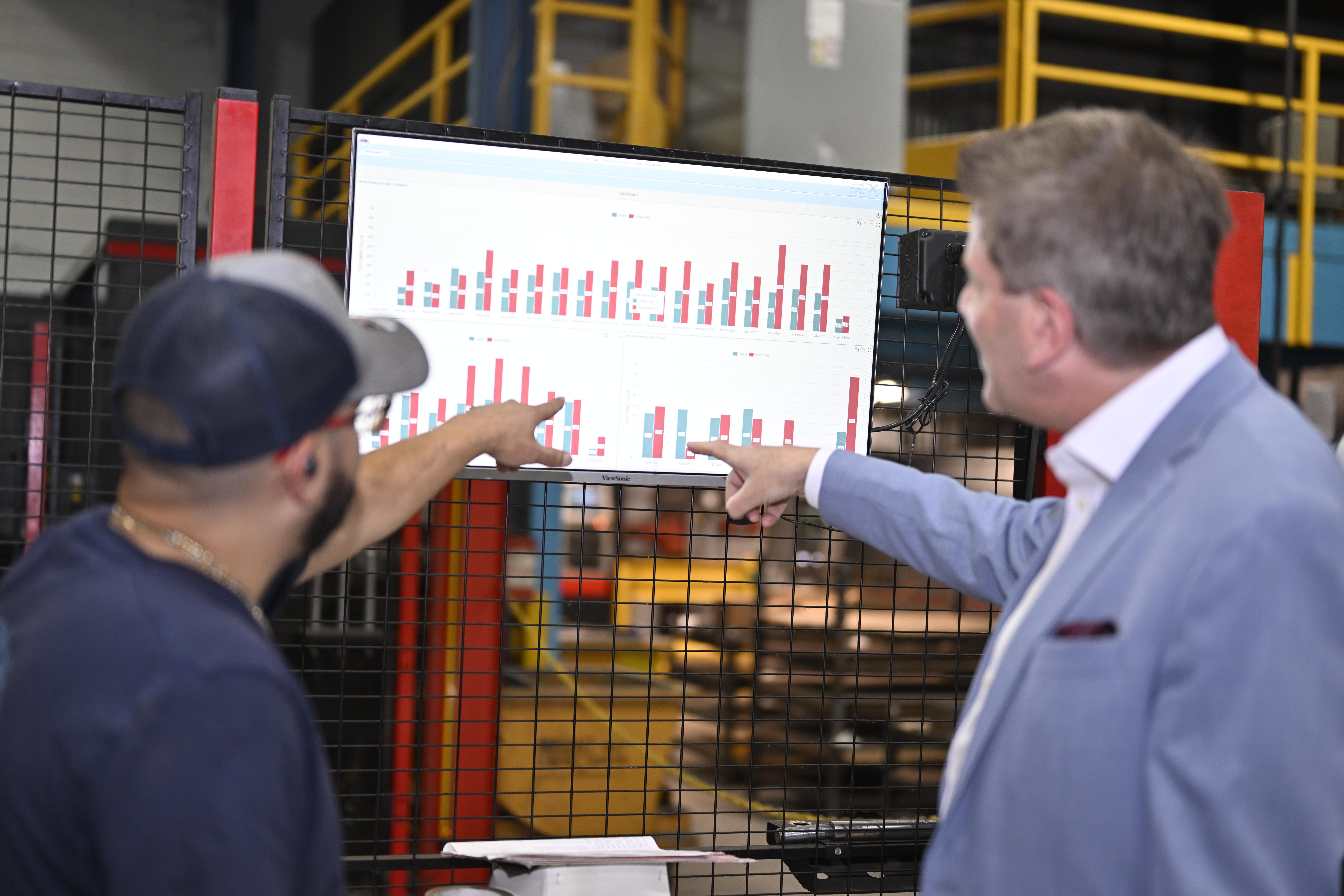
Shop floor control software delivers real-time dashboards with analytics on cycle times, equipment utilization, and labor productivity. Modern systems automate shop floor data collection through IIoT adapters and open protocols like MTConnect or OPC UA to gather machine telemetry directly. What you actually need is full visibility into active work, labor time, inventory movement, and quality steps as they happen, not hours later.
Inventory and Material Management
Materials often account for the largest share of total manufacturing costs. When inventory shortages, shop floor errors, and supply fluctuations hit, production slows, and time and revenue are lost. The scale of the problem is significant: unplanned downtime costs the world’s 500 largest companies approximately $1.4 trillion annually, equal to 11% of their revenues.
The good news? Proper inventory optimization through reorder alerts and demand forecasting can save millions. One manufacturer saved $11 million in inventory costs and cut stockouts by 22% after implementing the right controls. That’s not a small win. That’s a business-changing outcome.
Quality Control and AS9100 Compliance
For aerospace manufacturers, the compliance requirements are extensive. Product revisions, customer requirements, approved suppliers, material certifications, lot and serial-number traceability, production operations, employee qualifications, inspection results, nonconformances, corrective actions, and shipment documentation all need to be controlled and accounted for.
AS9100 certification audits are thorough, and passing them requires instant access to accurate records. An ERP stores all required information in one central location, so anything auditors need is accessible on demand rather than scattered across folders, spreadsheets, and email threads.
Integration with CAD/CAM Systems
Without integration between CAD and ERP, product data has to be manually re-entered every time. That creates duplicate work, introduces human error, and slows down the entire workflow. One mid-size manufacturer calculated time savings of $340,000 annually after implementing CAD-to-ERP integration, plus an additional $75,000 in eliminated errors. The math makes a strong case for getting this right from the start.
Pricing and Implementation Costs
This is where many job shops get caught off guard. Implementation for small manufacturers lands between $25,000 and $400,000 depending on size and complexity. For companies with $25M–$50M in revenue, expect a first-year investment ranging from $75,000 to $175,000. Professional services, including training, configuration, and data migration, typically consume 40–60% of implementation spend.
The takeaway: budget for the full picture, not just the license fee.
Scalability for Growing Job Shops
What works for a 10-person shop may not hold up when you double headcount or add a second facility. Cloud-based manufacturing inventory software lets your system grow without steep infrastructure costs, allowing you to add volume without the extra hardware or manual overhead that older methods demand. For job shops with growth ambitions, scalability shouldn’t be an afterthought.
Step-by-Step Process to Select the Best ERP for Machine Shops
1. Assess Your Current Workflow and Pain Points
Before looking at a single vendor, document your top five pain points, not a feature wish list. What specific problems is your current process failing to solve? Map your workflows from order entry through production, inventory, warehousing, and shipping to identify where the gaps are and where automation could make a real difference.
Ask your team direct questions:
- What steps slow the process down?
- Where do errors most often happen?
Cross-check answers across departments. Shared pain points that affect multiple teams tell you exactly where your ERP needs to deliver.
2. Define Your Must-Have Features
Build a realistic data profile before talking to vendors. How many work orders run concurrently? How many work centers, routing steps per job, and how often do machines go down?
When vendors come calling, ask specific questions that cut through the sales pitch:
- Can the system automatically track per-job actual costs?
- How does it handle revision control on BOMs and routers?
- Are labor and material costs recorded live to the job?
Generic answers to these questions are a red flag.
3. Research and Shortlist Vendors
Put together a task force representing finance, sales, engineering, and operations. Use search engines, business research sites, and peer recommendations to build your initial list. When scoring vendors, look for the 4 Cs: complete, comprehensive, customizable, and cohesive. Check vendor experience in your specific industry and review customer success stories closely.
4. Request Demos and Trial Periods
Here’s a rule worth following: require live demos using your own data complexity. If a vendor won’t demo with something close to your actual data, treat that as disqualifying. A trial period of around seven days is enough time to test quoting, order entry, scheduling, purchasing, production, shipping, and invoicing end to end. You’ll know quickly whether the system holds up under real-world conditions.
5. Check Customer Reviews and References
Don’t skip this step. Call three to five reference customers in your industry that are similar in size and who went live more than 12 months ago. Long-tenured customers will tell you what the product is actually like to live with, not just what it promises during a demo.
6. Compare Total Cost of Ownership
Calculate the five-year TCO for each finalist: license, implementation, training, annual maintenance, and estimated IT support time. The average budget per user for an ERP project runs about $7,200 over five years. Price alone won’t tell you the full story. Total cost of ownership will.
7. Make Your Final Decision
Conduct a final in-depth evaluation before signing anything. Request full quote-to-cash demos using your data, schedule facility visits from vendors, and gather customer testimonials. The right system will hold up under scrutiny. The wrong one will start showing cracks well before go-live.
Common Mistakes to Avoid When Implementing Machine Shop Management Software
Even the best ERP selection process can go sideways during implementation. Here are four pitfalls that derail machine shop owners and how to avoid them.
Choosing Based on Price Alone
The sticker price on an ERP system tells you very little about what you’ll actually spend. The real cost can run two or three times higher than expected once implementation begins. One mid-sized manufacturer went with the cheapest option at nearly $40,000, then spent three times that budget fixing incomplete production costing logic, missing job work processes, and inaccurate inventory reports.
What drives those overruns? Low upfront costs hide expenses that add up fast:
– Customization to make a generic system work for job shop workflows – Integrations with manufacturing machines and existing software – Custom report development that should have been standard
The lesson: calculate your 5-year total cost of ownership before selecting a finalist, not after.
Ignoring User Training Requirements
User adoption determines whether your machine shop ERP software succeeds or fails. Full stop. A system can have every feature on your wish list and still fall flat if employees find it too complex to use day-to-day.
Training should occur on company time, not personal time. That distinction matters. It sends a clear signal that learning the system is as important as running production. Generic training sessions also tend to fall short. Engineers, welders, and buyers all interact with the system differently, so role-based training is worth the extra planning effort.
Underestimating Implementation Time
ERP implementations can span anywhere from 6 weeks to 24 months, depending on business size and complexity. Small and mid-sized machine shops typically need 6 to 12 weeks for rapid activation or 3 to 12 months for more involved transitions.
What happens when you rush it? Missed requirements, weak training, and poor adoption, all of which cost more to fix after go-live than they would have during a proper rollout. Build your timeline with buffer. A delayed launch is far less damaging than a failed one.
Overlooking Mobile Access Capabilities
Modern machine shop management software includes mobile apps for shop floor data access, and shops that ignore this end up with workers who can’t interact with the system where the actual work happens. Mobile shop floor data access reporting lets workers track time and log resources on production activities directly from phones or tablets, keeping data accurate without pulling people off the floor.
If a vendor’s system doesn’t support mobile access out of the box, factor in the workarounds you’ll need, along with the adoption problems that tend to follow.
Conclusion
You now have a complete roadmap to select the right ERP for your machine shop. Above all, focus on systems built specifically for job shop workflows, not generic platforms that require heavy customization.
Take your time during vendor evaluation, prioritize must-have features over price alone, and invest properly in training. Most importantly, use the step-by-step process we outlined to avoid costly mistakes that drain budgets and delay ROI.
Your perfect ERP fit is out there waiting.
Frequently Asked Questions
Focus on job tracking with real-time labor and material monitoring, inventory management with automated reorder alerts, quality control capabilities (especially AS9100 compliance if needed), CAD/CAM integration to eliminate manual data entry, and shop floor data collection. These core functions directly impact your daily operations and should take priority over generic features found in standard ERP systems.
Implementation costs for small manufacturers range from $25,000 to $400,000 depending on company size and complexity. For businesses with $25M-$50M in revenue, expect a first-year investment between $75,000 and $175,000. Remember that professional services typically consume 40-60% of implementation spend, and the total cost of ownership over five years averages $7,200 per user.
Cloud-based ERP typically offers 30-50% lower total cost of ownership over five years and can be implemented in 3-6 months compared to 12+ months for on-premise systems. Cloud solutions work well for most machine shops due to lower upfront costs and reduced IT maintenance. Choose on-premise only if you require complete infrastructure control, have highly specialized integrations, or operate in heavily regulated industries.
Implementation timelines vary from 6 weeks to 24 months depending on business size and complexity. Small and mid-sized machine shops typically need 6 to 12 weeks for rapid activation or 3 to 12 months for more involved transformations. Avoid rushing the timeline, as this increases risks of missed requirements, inadequate training, and poor user adoption.
Don’t select based solely on initial license cost, as the real cost can be two or three times higher once implementation begins. Avoid underestimating user training requirements—proper training determines whether your system succeeds or fails. Don’t rush implementation timelines, and ensure the system includes mobile access capabilities for shop floor workers to track time and access data in real-time.